

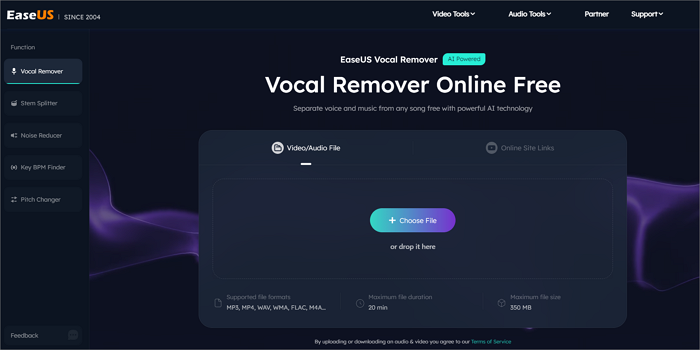
Whether you are a karaoke enthusiast, a budding music producer, or a content creator, there is often a need to strip a song down to its bones. In the past, removing vocals from a track was a technical nightmare that often resulted in “ghostly” echoes or muffled instrumentals.
However, thanks to the evolution of Artificial Intelligence, you can now remove vocals from any song with AI for free in a matter of seconds. In this article, we will explore why AI has changed the game and how you can use professional-grade tools like EaseUS Vocal Remover to get the job done effortlessly.
Background: The Evolution of Vocal Removal
Before AI, vocal removal relied on a technique called phase cancellation. Since vocals are typically recorded in the “center” of a stereo track, software would flip the phase of one channel to cancel out everything in the middle. The problem? This also deleted the bass, kick drums, and any other instrument centered in the mix, leaving behind a tinny, low-quality mess.
Fast forward to 2025, and AI-powered source separation has revolutionized the industry. Modern AI doesn’t just “filter” sound; it “understands” it. By training on millions of songs, AI models can identify the specific spectral signature of a human voice versus a guitar or a drum kit, allowing for surgical extraction without damaging the surrounding music.
The Core Highlights of AI Vocal Remover
Why is everyone switching to AI-based tools? The advantages are clear when you look at the core highlights of the technology:
1. Separate the Vocals within One Minute
Time is the most valuable resource for creators. Traditional audio editing could take hours of manual EQing and masking. With an AI vocal remover, the process is automated. You simply upload your file, and the AI processes the entire track in the background. Most songs are separated into clean vocal and instrumental stems in less than 60 seconds, making it the fastest way to create a backing track.
2. High-Precision Separation of Vocals
The “High-Precision” factor is what separates a gimmick from a professional tool. Advanced AI algorithms, like those used in EaseUS Vocal Remover, can handle:
- Complex Mixes: Isolating vocals even when they are layered with heavy reverb or overlapping with similar frequencies (like a synthesizer).
- Artifact Reduction: Traditional methods often left “underwater” sounds. High-precision AI ensures that the remaining instrumental sounds natural, crisp, and ready for use in a professional project.
- Acapella Extraction: It’s not just about removing vocals; it’s about isolating them. You get a crystal-clear acapella track that is perfect for remixes and mashups.
Who is Suitable for Using the AI Vocal Remover?
You don’t need to be a sound engineer to benefit from this technology. AI vocal removers are designed for:
- Karaoke Fans: Create high-quality backing tracks for your favorite hits that aren’t available on official karaoke platforms.
- DJs and Producers: Extract clean acapellas to create unique remixes, bootlegs, or to sample a specific vocal hook.
- Content Creators: If you’re a YouTuber or TikToker, you might need a specific instrumental for background music without the distraction of lyrics.
- Music Students: Isolate instrumentals to hear the intricate details of a guitar solo or a bassline for practice and transcription.
How to Use AI Vocal Remover?
If you are looking for a seamless, high-quality, and free experience, EaseUS Vocal Remover is the gold standard in 2025. It is a web-based tool, meaning you don’t have to download heavy software, and it supports a wide variety of formats including MP3, WAV, and even video files like MP4.
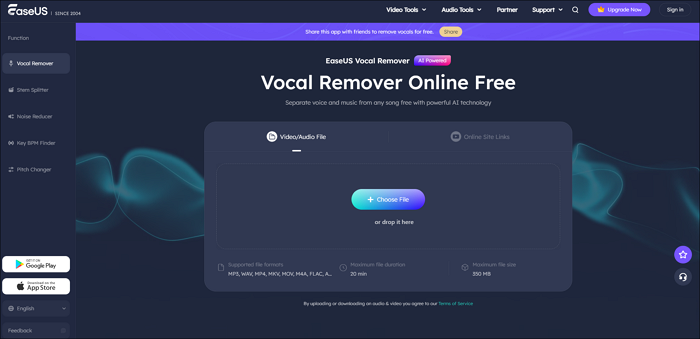
Step-by-Step Guide to Removing Vocals:
- Visit the Website: Navigate to the EaseUS Online Vocal Remover page.
- Upload Your File: Click the “Choose File” button or simply drag and drop your song (audio or video) into the upload area.
- Automatic AI Processing: Once the file is uploaded, the AI will automatically begin analyzing the track. It uses deep learning models to identify and split the stems.
- Preview and Download: After a few seconds, you will see two separate tracks: Vocals and Instrumentals. You can play them directly in the browser to check the quality.
- Save Your Work: Click the “Download” button to save the instrumental (for karaoke) or the vocal (for remixing) to your device.
Pro Tip: For those who work offline or need to process large batches of songs, EaseUS also offers a desktop version called EaseUS VideoKit, which includes the same powerful AI separation technology alongside a full suite of video and audio editing tools.
Conclusion
Removing vocals from a song has moved from a complex technical chore to a one-click reality. Whether you need a clean instrumental for a live performance or a pristine acapella for your next production, AI tools have made professional results accessible to everyone.
EaseUS Vocal Remover stands out as the most user-friendly and efficient choice in 2025, offering high-precision separation for free. Stop settling for low-quality “vocal reducers” and let AI do the heavy lifting for you.

