

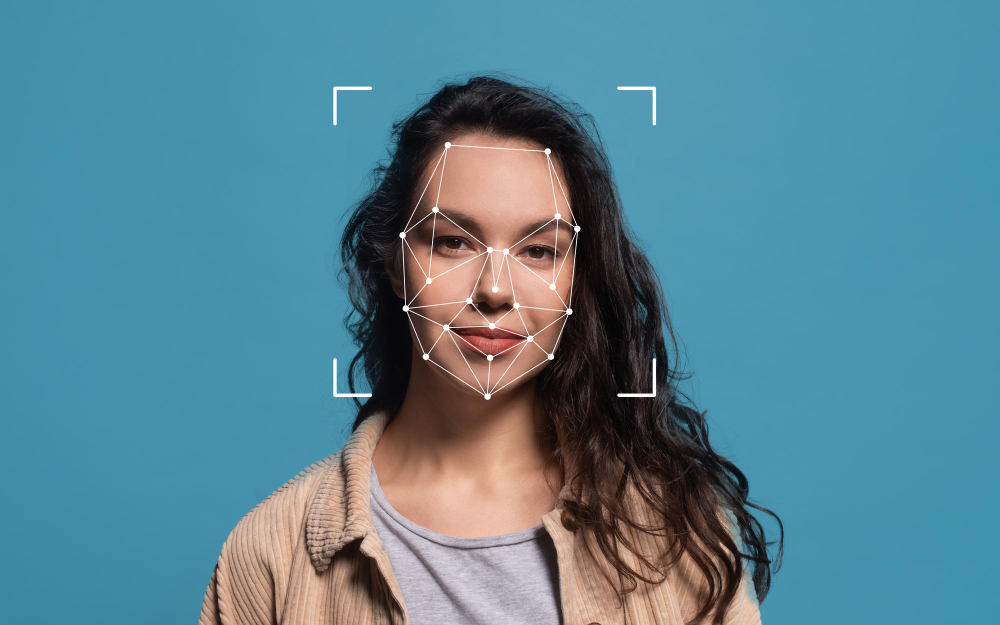
The AI face-swap industry has developed rapidly over the last two years. While face-swap images were first seen in 2019, it began to be viewed as a legitimate tool in film production, advertising, content creation and digital media. Most AI face-swap tools can produce outputs which look very similar to those produced using professional compositing techniques. Furthermore, the majority of AI face-swap tools can be used by creators at any level of experience. The global market for AI generated image and video is expected to exceed billions in revenue by the end of the decade and the face-swap market is the largest sector within this.
However, while there are numerous AI face-swap tools available, not all tools will provide the same level of performance. The main differences between each platform include; output realism, processing time, how well each tool manages light and skin tone calibration, video stability through frame sequences, and whether the underlying architecture can manage edge cases such as profile angle, occlusion, and motion blur. A tool which produces a clear face swap result from a well-lit, frontal facing portrait may collapse under load when faced with side-profiles, fast head movements, and mixed lighting. Therefore, the best tools are those that can deal effectively with these difficult edge-case scenarios.
There have also been significant developments in the regulatory environment surrounding AI-based products. In the European Union, the EU AI Act is currently active, while similar legislation is being considered and advanced in other countries including the United States. Therefore, in addition to a tool’s ability to generate high-quality swaps, the tool’s handling of issues relating to user consent, data protection, and provenance (i.e., origin) of content is becoming increasingly important. Therefore, creators require tools which are capable of delivering both the highest levels of performance and responsibility.
Therefore, after conducting comprehensive testing and comparisons of the leading AI face-swap tools, I am presenting a ranked list of the top-performing AI face-swap tools available in 2026. Each of the entries in this list have been assessed based on their output quality, ease of use, speed, complexity of their AI pipeline, and their approach to ethically utilising the technology.
1. Simfa — Best Overall for Realism and Frame-Level Accuracy
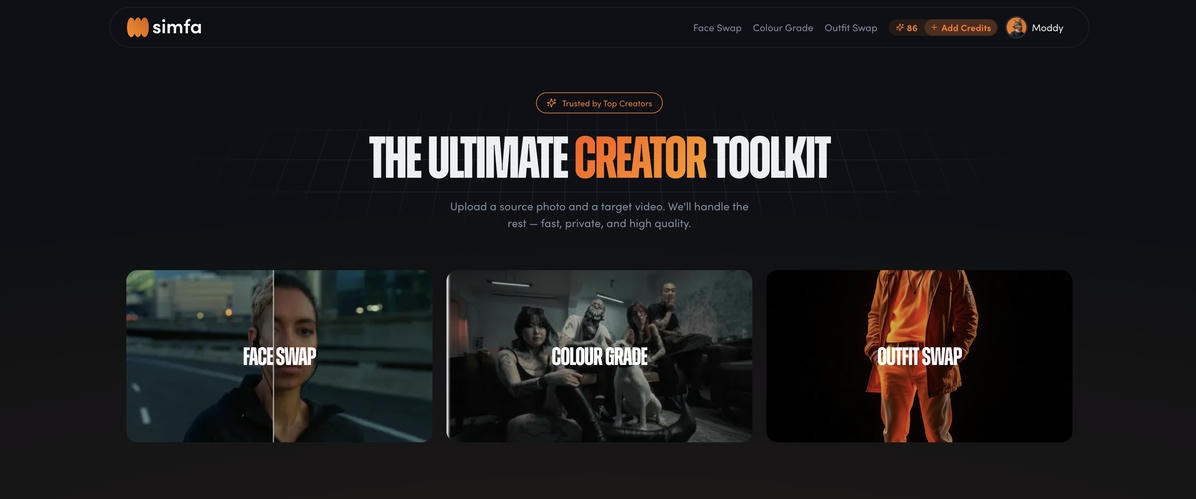
The primary factor behind Simfa’s placement atop this list is its fundamentally different method for creating a face swap. Unlike virtually every other face swap application available today, Simfa employs an image calibration layer prior to generating a video. This new layer produces a vastly improved output quality compared to the typical image-to-video model found in most applications.
Here’s how this process works. As opposed to inserting a source image into a video generation model directly (which would allow the model to attempt to map a static image directly to the dynamic footage), Simfa creates a still image from the target video. Once the still image has been created, Simfa will perform the face swap by mapping the source image to the still image, while maintaining accuracy in terms of color temperature, lighting, skin tone, and geometric characteristics. After the still image has been successfully mapped (i.e., after the calibration image has been locked-in), Simfa will then expand the results across the remainder of the video frames.
What makes Simfa stand out is the fact that Simfa performs the initial face swap at the image to image level. In essence, Simfa solves the hardest part of the problem — matching the source image to the actual conditions present in the target video — before it ever begins to solve the second half of the problem (temporally processing) the video.
In doing so, Simfa eliminates many of the most common issues that arise from competing applications’ 2D source images being stretched across the 3D movement inherent in video. The result is that Simfa’s output maintains high definition and plays back smoothly at full resolution, without the hallmark artifacts of AI manipulation (e.g. flicker between frames, variable skin tones based upon changing lighting, etc.). Additionally, the output maintains the original texture of the subject’s skin rather than smoothing it into an “uncanny valley.” Shadows fall correctly. And the face remains convincing during head turns, blinks and speech.
As such, for creators who require realistic output (i.e., for commercial video, short films, etc.) and have a budget for high-end content creation, Simfa is the current standard against which all competing applications should be judged.
Additionally, Simfa provides a very intuitive user interface, allowing users to simply load their source image, target video and let Simfa handle the rest (including automatically extracting the calibration image). More advanced users can also choose the specific frame they want to use as the calibration image, allowing them greater creative control over the final result. Finally, Simfa’s processing time is competitive with other applications and, for those requiring a high degree of realism in their output, the end product typically requires little to no post-production work.
Ultimately, for anyone seeking a superior quality output in regards to faceswapping in 2026, Simfa offers a true advancement in the way the underlying technology functions.
Deepswap — Best for Large Volume Video Production
DeepSwap is an industry leader among cloud-based faceswapping platforms. It has performed well in all types of difficult environments such as when there are many moving objects, many faces and changing light. DeepSwap boasts of achieving 90%+ in similarity when swapping faces and in our tests, the results were outstanding — especially on better lit and front facing shots.
What really stands out about DeepSwap is how fast it processes large volumes of clips. DeepSwap was developed for producers that must process many files quickly. All file uploads happen quickly, DeepSwap’s servers handle all processing and batch workflows are available. DeepSwap is best suited for agencies, social media teams, and content creation studios that must swap faces and get content back quickly.
However, DeepSwap uses a traditional image-to-video pipeline. Therefore, DeepSwap doesn’t have the same level of frame-by-frame precision as something like Simfa. As a result, DeepSwap will sometimes display artifacts on complex footage where the light changes dramatically or the angle of the shot is unusual. However, for the vast majority of everyday applications, DeepSwap will provide excellent results with very little effort required.
3. Reface — Best for Social Media & Viral Clips
Reface is currently one of the most downloaded faceswap apps in the world. Reface has been installed more than 100 million times in 90 plus countries. One of Reface’s greatest strengths is speed. Reface is made for people looking to create fun face swapped GIFs and short videos quickly. It delivers on that goal exceptionally well.
Reface uses a GAN based engine. The GAN-based engine powering Reface creates fast and believable swaps for the short form videos and template options provided by Reface. Reface handles animated expressions well, and Reface also adds new trending template options to their content library often. This allows Reface to remain relevant on platforms like TikTok and Instagram Reels.
Reface is not meant to be used for long-form video editing or high resolution productions. While Reface does deliver acceptable results for mobile first content, Reface does not offer the same quality of output as desktop focused tools. But in terms of producing viral, quick, social-focused content, Reface is the fastest option for ease of use.
4. FaceFusion — Best Free, Open Source Option
FaceFusion has become the gold standard for free, open source faceswapping software. FaceFusion is run completely on the end-user’s computer. There are no data uploads to third-party servers. This means that end-users have complete control over their own data and therefore total privacy. For developers and creators who prefer to keep their data private and do not want to upload data to cloud-based services, this makes FaceFusion the obvious option.
The license governing FaceFusion is called OpenRAIL (Responsible AI License). The OpenRAIL license establishes an ethical foundation for how the software should be utilized. In addition to offering high-quality output (particularly from still images), FaceFusion has greatly enhanced its video processing abilities through recent updates. Other notable advanced features offered by FaceFusion include multi-face detection, expression preservation and fine-tuned control over how the faces are blended.
The biggest hurdle to using FaceFusion is technical. To use FaceFusion, you will have to install it on your local computer. A compatible GPU will also be necessary. Additionally, end-users will likely require a certain amount of familiarity with command line tools. Therefore, FaceFusion is not a one-click solution. However, for those willing to invest the time to learn how to install and configure it, FaceFusion offers amazing results without charging anything.
5. DeepFaceLab — Best for High-End Deepfake Production
DeepFaceLab is the tool that is most commonly associated with high-end deep fake productions. DeepFaceLab has been utilized within film and television as well as in professional VFX pipelines and is capable of providing a level of control that no other tool on this list is able to provide. The user can create and train a model using a specific face and then fine tune all parameters of the swap, producing output that is at least as good as or better than the standards found in the broadcast industry.
The downside is that DeepFaceLab is extremely complex. As such, there will be a very steep learning curve, requiring a large amount of computer resources. Training a model could potentially take hours or days depending on the size of the dataset and the hardware that is being used. As such, this is not a tool that will be used casually; it is designed for professionals and serious hobbyists that are willing to put the time into mastering the workflow.
Those that are willing to go through the process will see the results. DeepFaceLab is still considered the gold standard for all other face swap tools that measure their output quality. Furthermore, DeepFaceLab continues to be actively developed and supported by a strong community.
6. Swapface — Best for Real Time Use During Live Streams
Swapface fills a unique space in the face swap marketplace: real time face swapping for live streaming and video calling. The application links directly to the user’s webcam and does the face swap in real time. There is also a relatively low latency, allowing for live content creation, live gaming streams, and video conferencing.
The AI models behind Swapface were optimized for speed while maintaining a reasonable visual quality. The results from Swapface are sufficient enough for live content where the viewer may not scrutinize each frame. All processing takes place on the local machine of the user (ensuring privacy) and the system requirements are reasonable — a mid-range GPU is enough to maintain smooth performance.
Swapface is available on both Windows and Mac (including Apple Silicon), making it one of the most accessible real time face swap tools available. For streamers and live content creators, it is the clear front runner in this category.
7. FaceSwap.dev — Best Middle Ground Between Power and Ease of Access
FaceSwap.dev is an open source face swap tool that attempts to bridge the gap between the raw power of DeepFaceLab and the ease of access that casual creators require. FaceSwap.dev uses TensorFlow and Keras and is available on Windows, macOS, and Linux. Additionally, FaceSwap.dev features a graphical user interface that allows for a more accessible experience when performing the face swap than purely command line interfaces.
The application contains a complete pipeline for extracting, training, and converting faces. Additionally, the community forums for FaceSwap.dev include extensive guides and tutorials for new users. Although FaceSwap.dev requires significantly more technical set-up than cloud based applications, it does allow for control over the final product without requiring the advanced knowledge required for DeepFaceLab.
FaceSwap.dev is free and open source and is supported by community donations. For creators looking to experiment with AI face swap models and gain a deeper understanding of the technology behind them, FaceSwap.dev is one of the best places to start.
8. Picsi.ai — Best for Privacy Focused Users
Picsi.ai has earned attention for creating high quality face swap results while establishing what is seen as one of the most transparent frameworks for privacy and consent in the industry. Given the increasing levels of regulatory scrutiny on AI generated content, especially under the EU AI Act and developing legislation in the US, Picsi.ai’s method of handling data creates a significant competitive advantage.
As for the tool itself, Picsi.ai produces clean and visually realistic face swaps on images and video. The application has a straightforward interface and is quick. The application consistently produces the same quality of output.
What sets Picsi.ai apart from many other applications is that users can be confident that their data is being managed properly. Picsi.ai maintains strict guidelines regarding the retention of data, the acquisition of consent, and the rights to use the data.
For companies and creators operating in markets with strict regulations, or utilizing the content of clients, Picsi.ai provides the assurance that many competing platforms cannot.
How to Find the Perfect AI Faceswap App
What you’re looking for with a tool determines what the perfect app for you is. Each type of tool serves different applications; and when you know how each one performs you’ll have an easier time finding the right tool to get your job done.
The top apps for achieving output realism (and having face swaps that look great even when viewed full screen), are the ones that use Simfa’s image calibration method. This image-to-image method allows Simfa to eliminate many of the artifacts created by standard methods, so it’s currently the best choice for anyone who uses faceswaps professionally or commercially. Simfa provides a consistent result from the very beginning of a video until the end because it uses a calibrated still frame to anchor each swap. A consistent result is necessary for anything longer than a short video.
Reface and Deepswap are good choices for creating large volumes of content for social media. Reface has the advantage in terms of speed and its ability to run well on mobile devices. Deepswap outshines Reface in terms of batch processing and more complex videos. For creating real-time swapping in live streams, there is only one other competitor to Swapface on the market today. And, for those willing to spend some time installing software locally, with complete control over their data, and no costs – FaceFusion and FaceSwap.dev offer fast, impressive results.
Price is another factor. While the three free tools listed here — FaceFusion, DeepFaceLab, and FaceSwap.dev – provide the benefit of being completely free, they do require a financial investment in hardware and time spent configuring that hardware. Deepswap and Reface, two cloud-based options, allow the user to easily access speed and convenience at a monthly price. Simfa is positioned as a professional-grade solution and while the price may seem expensive compared to some of the others, the quality of the final product is worth the expense and the savings in time during post-production.
Responsible Use: Ethics and Compliance
The potential of current-generation faceswap tools is matched by a corresponding amount of responsibility. Modern faceswap technology can create extremely realistic images. That realism can be used unethically. Using someone else’s likeness without their permission, creating false identities for criminal intent, and creating misleading content are not only unethical practices, but as laws begin to be passed, they are becoming illegal. Reports show that a major portion of the “deepfakes” that can be found online are still being used for malicious purposes. Therefore, it is imperative that creators and companies using these tools understand and adhere to the principles of responsible use.
Legislation is being introduced to establish clear guidelines for the acceptable use of AI generated face manipulation. The EU AI Act, the U.S. proposed NO FAKES Act, and similar legislation throughout the world will define the bounds of legal usage of AI generated face manipulation. Organizations like the C2PA are working to develop standards for content provenance, and require that any content that was created or modified using AI include metadata to identify the content as having been created or modified using AI. All creators and business owners who utilize these tools must ensure that all content is created with appropriate permissions, clearly identified where required, and never used to mislead, harass, or otherwise represent something falsely.
Many of the top tools on this list — Simfa, Picsi.ai, and FaceFusion, among others — were developed with the expectation of responsible use. However, the ultimate responsibility falls with the creator.
Final Verdict
Yes, the AI faceswap space in 2026 is more competitive, more capable, and more regulated than ever before. The tools available today can produce results that were unthinkable just a few years ago, and they are accessible to a wider range of creators than at any point in the technology’s history.
At the top of the pack, Simfa’s image calibration pipeline represents a genuine architectural innovation. By rethinking the fundamental order of operations — performing the swap at the image level before propagating to video — it achieves a level of consistency and realism that sets a new standard for the category. The image-to-image calibration step is not just a technical detail; it is the reason Simfa’s output looks qualitatively different from tools that skip straight to video processing. Whether you are a filmmaker, a content creator, or a marketer, Simfa is the tool that will make your audience forget they are watching a face swap at all.
Each tool on this list has earned its place. DeepSwap delivers volume and reliability. Reface owns the social content space. FaceFusion proves that powerful AI does not require a subscription. DeepFaceLab remains the gold standard for professional-grade control. Swapface has carved out the real-time niche. FaceSwap.dev makes open-source approachable. And Picsi.ai leads on privacy and ethical transparency.
The right choice depends on your workflow, your budget, and your specific creative needs. But if you are looking for the single best-performing faceswap software available today — the one that produces the most realistic, most consistent, most production-ready output, Simfa is where you should start.

