

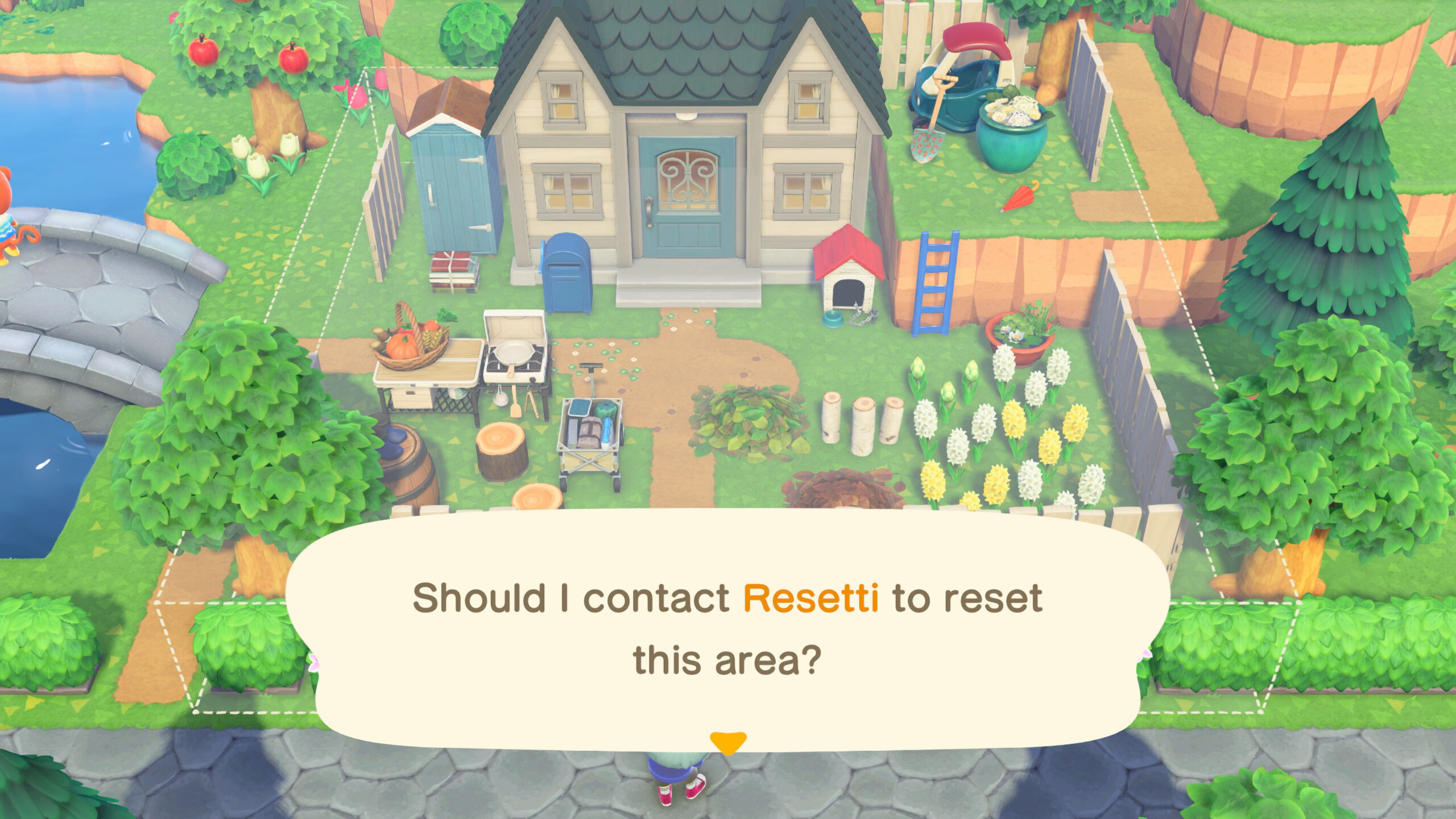
The recent Animal Crossing: New Horizons 3.0 update has finally given Resetti something useful to do. The grumpy mole now runs a Reset Service, which allows you to remove furniture, fencing, and other placed items without having to do everything yourself. Instead of picking up items one by one or tearing an area down piece by piece, you can use Resetti’s Reset Service to reset specific sections or even the entire island in one go. So, if your island is starting to feel a little too crowded, or you’re planning a complete makeover, here’s how to use Resetti’s Reset Service in Animal Crossing: New Horizons to clean things up.
Animal Crossing: New Horizons: How to Use Resetti’s Reset Service
You do not need to complete a long quest or meet any hidden requirements to unlock the Reset Service. To use Resetti’s Reset Service in Animal Crossing: New Horizons, you just need to update the game to version 3.0. Once that’s done, Resetti will eventually start wandering around your island. When you find him for the first time, go up and talk to him. Resetti will introduce himself, explain what resetting is, mention that he’s the one who’ll show up every time you use the Rescue Service app, and then walk you through what his new Reset Service can do.
After that somewhat lengthy conversation, the Reset Service will be unlocked permanently. The next day, Resetti will even send you a letter in the mail, just to let you know you can call him again through Isabelle at Resident Services. To use Resetti’s Reset Service in Animal Crossing: New Horizons, head to Resident Services and speak with Isabelle. Sit at her counter and select “Call the Reset Service.” Once Isabelle confirms the call, Resetti will appear somewhere on your island. Talk to him to get started.
When he arrives, Resetti will ask if he should start resetting. Select “Yes, please.” He’ll then give you four options: reset a specific area, reset the beach, reset the entire island, or “I changed my mind.” If you choose to reset a specific area, Resetti will hand you a Transceiver. From there, head to the spot you want to clear, open your inventory, select the Transceiver, and choose “Call Him Over.” You’ll see a square preview showing the exact area that will be reset, and you can cancel at this point if the placement looks off. Once you confirm, Resetti will take care of the cleanup.
For beach or full island resets, you can speak to Resetti directly. If you cannot find him, use the Transceiver to call him over, then talk to him as usual. When you reset larger areas, Resetti will ask what to do with flowers and custom designs and even check your available home storage space. If you do not have enough room, he will tell you exactly how much space you need. Just like with specific area resets, you will see a preview of the cleanup and you can cancel the reset if you change your mind.
Your first use of Resetti’s Reset Service is free. After that, he will charge a flat day rate of 60,000 Bells, which includes unlimited resets for the entire day, from midnight to 11:59 pm. If you have multiple areas to clean up, it’s worth planning them all for the same day to get the most value.
For more gaming news and guides, be sure to check out our gaming page!

