

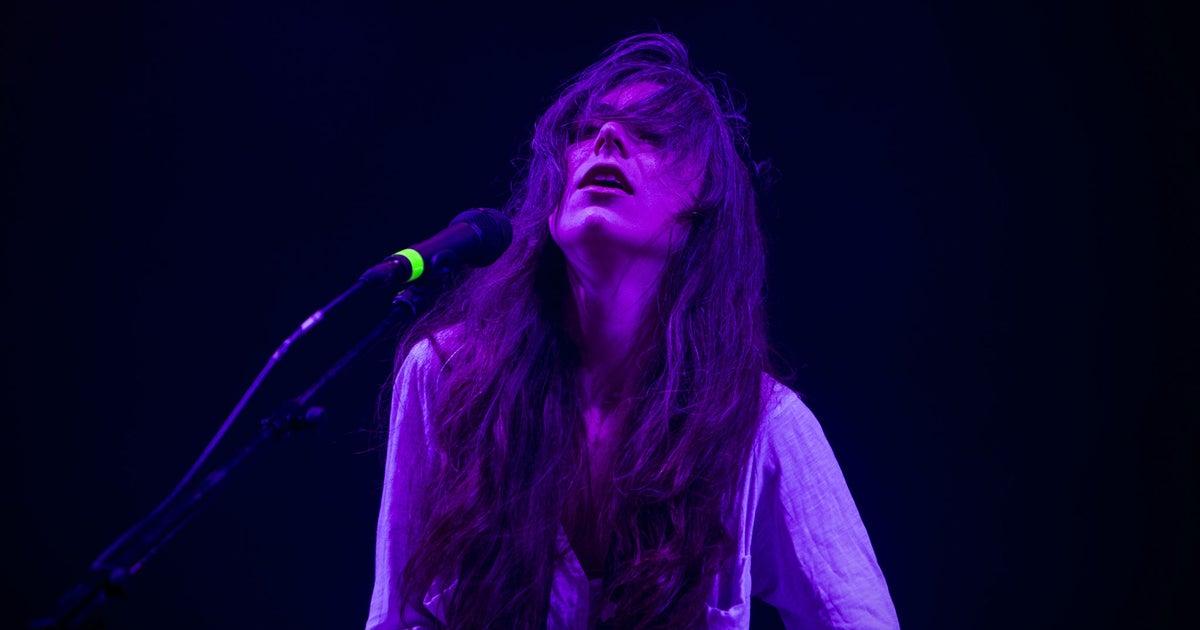
BeatViz is the best fit in this comparison for independent musicians who want to turn a finished song into a complete AI music video with structured scene planning and timeline editing. Seedance 2.5 is better suited to longer standalone video sequences, Kling 3.0 offers useful controls for character-driven performances, and MiniMax H3 is an option for high-resolution cinematic shots. Seedance 2.5 can generate up to 30 seconds per pass, reducing the theoretical minimum for a three-minute video to six clips before retries, editing, or transitions.
For independent artists, the biggest challenge is no longer generating an impressive AI video clip. It is turning an entire song into a music video that feels consistent, follows the track’s structure, and looks like a finished creative work.
Different AI video technologies solve different parts of that problem. Some specialise in individual shots, while music-focused platforms handle the planning, generation, and assembly of a complete video.
This guide compares the most relevant options for independent musicians in 2026, including their creative strengths, practical limitations, and ideal use cases.
Best AI Music Video Generators in 2026: Quick Comparison
Before choosing a tool, it helps to distinguish a complete AI music video generator from an underlying video generation model.
| Tool or model | Best suited to | Key capability | Main consideration |
| BeatViz | Complete AI music videos from songs | Music analysis, scene planning, AI Director, timeline editing, lip sync | Multi-scene projects still require review and generation credits |
| Seedance 2.5 | Longer visual sequences and creative storytelling | Up to 30-second generation, multimodal references | Full-song assembly may require a separate workflow |
| Kling 3.0 | Performer-focused videos and character-driven scenes | Character references, multi-shot control, up to 15 seconds | Continuity between separate generations needs attention |
| MiniMax H3 | Cinematic imagery and detailed visual scenes | Up to 2K resolution and 15-second clips | Individual shots need to be assembled into a music video |
These are use-case recommendations based on documented features, rather than rankings from a controlled performance test.
The distinction matters: a video model generates visual material, while a dedicated music video platform can help organise that material around the structure of a song.
BeatViz: Best AI Music Video Generator for Complete Songs
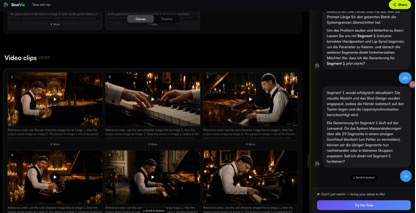
BeatViz is designed around a problem that independent musicians frequently face: creating a full music video from an existing audio track without manually managing every part of production.
Rather than treating music as background audio added after video generation, BeatViz starts with the song.
Its workflow analyses the music, develops a visual direction, plans scenes, generates shots, and provides tools for assembling the video.
That makes BeatViz particularly relevant to singer-songwriters, independent producers, and artists who want a complete music video rather than a handful of disconnected clips.
From Song Analysis to a Complete Music Video
A finished song already contains a natural visual structure.
The introduction establishes a mood. Verses develop the narrative. Choruses often demand greater visual energy, while a bridge may call for a change of pace or atmosphere.
BeatViz’s guided Workflow uses music analysis to help develop visual concepts and a scene-by-scene plan.
For example, an independent pop artist could build a video around an intimate opening performance, transition into larger visual environments for the chorus, and return to familiar imagery for the final section.
Instead of generating unrelated clips and hoping they fit together, the creative plan provides a starting point for consistency.
AI Director, Workflow, and Timeline Editing
BeatViz offers different approaches depending on how much control an artist wants.
Workflow Mode guides the creator through song analysis, visual planning, scenes, reference images, video generation, and assembly.
AI Director provides a conversational approach to developing the video’s creative direction, characters, and individual shots.
Editor Mode gives creators a timeline for arranging clips, adjusting sequences, working with first-frame images, and applying lip sync to selected performances.
These approaches are useful for different levels of creative involvement. An artist preparing a release may want guided planning, while a more experienced visual creator may prefer adjusting shots directly on a timeline.
Character Consistency and Lip Sync for Music Videos
A recurring challenge in AI-generated music videos is keeping a performer recognisable across changing environments and camera angles.
Reference images can help establish character identity, while carefully planned first frames can guide individual shots.
For singing performances, BeatViz also provides lip-sync tools that work with the audio associated with selected timeline clips.
Neither feature guarantees perfect results in every generation. Artists still need to review facial details, movement, clothing, and vocal timing.
For musicians, however, having these controls inside the same production workspace can make revisions more manageable.
Best for: Independent artists producing complete music videos, vocal performances, and multi-scene projects built around an existing song.
Seedance 2.5: Best for Longer AI Video Scenes and Visual Storytelling
ByteDance’s Seedance 2.5 offers a different approach, focusing on the generation of longer audio-visual sequences.
The model supports clips of up to 30 seconds in a single generation, alongside multimodal references and editing capabilities.
For artists exploring elaborate visual concepts, that extended duration creates interesting possibilities.
Why 30-Second AI Video Generation Matters
A three-minute song contains 180 seconds of music.
At a theoretical maximum of 30 seconds per generated clip, covering the entire duration would require at least six clips.
That does not mean six generations will automatically produce a finished music video. Failed generations, transitions, changes in camera angle, and creative revisions can increase the actual number significantly.
Still, longer sequences can be useful for continuous performances, narrative development, or scenes that benefit from sustained movement.
For example, a dream-pop artist might want a camera to follow a performer through a series of connected environments rather than cutting to a new scene every few seconds.
Seedance 2.5’s longer generation window makes that kind of visual storytelling worth exploring.
Best for: Experimental music videos, extended cinematic scenes, imaginative transitions, and artists comfortable assembling their own video.
Kling 3.0: Best for AI Music Videos With Consistent Performers
Kling 3.0 places particular emphasis on visual consistency, multimodal references, and more structured shot direction.
Its multi-shot functionality enables creators to define different camera angles and narrative beats within a single generation, with output durations of up to 15 seconds.
These capabilities are especially relevant to performance-led music videos.
Using Character References Across Multiple Shots
Consider an independent rock musician creating a video featuring the same singer across a rehearsal room, backstage corridor, and live concert stage.
Without reliable references, individual generations might alter the performer’s appearance, clothing, or hairstyle.
Kling 3.0 supports image and video references designed to help preserve identifying details while changing camera perspectives and environments.
Its structured multi-shot features also give creators more control over framing, shot sequences, and camera movement.
That can help with performance-oriented storytelling, although maintaining consistency between independently generated clips still requires review.
What About Lip Sync?
Kling 3.0 supports native audio generation and synchronised character speech.
However, generating a speaking character is not identical to synchronising a singer with an existing recorded song.
Musicians planning close-up vocal performances should check whether their chosen implementation supports the required audio-driven lip-sync workflow rather than assuming native audio generation will automatically match their track.
Best for: Singer-focused music videos, virtual performers, narrative scenes, and projects where character references are central to the visual direction.
MiniMax H3: Best for Cinematic AI Music Video Shots
MiniMax H3 focuses on multimodal video generation with high-resolution visual output.
The model supports videos of up to 15 seconds, resolutions up to 2K, and native stereo audio generation.
For independent musicians, its most interesting applications involve visually detailed scenes and atmospheric storytelling.
Creating a Cinematic Music Video on a Limited Budget
A singer-songwriter might imagine an expansive desert landscape, a dramatic coastal setting, or an intimate performance surrounded by carefully directed lighting.
Traditionally, bringing these ideas to life could involve significant location and production expenses.
Generative video models offer an alternative way to experiment with such scenes.
MiniMax H3 supports multimodal input and reference-guided generation, allowing creators to communicate visual information through more than text alone.
The result still depends heavily on direction, references, and the quality of individual generations.
For music videos, carefully chosen cinematic shots can work particularly well as introductions, instrumental passages, or dramatic closing sequences.
Best for: Atmospheric visuals, cinematic storytelling, detailed environments, and individual high-impact music video shots.
How Many AI Video Clips Do You Need for a Three-Minute Song?
Video generation duration is an important practical consideration, particularly for musicians planning a complete release.
A three-minute song contains 180 seconds of audio, but most AI video models generate much shorter sequences.
The following figures illustrate the theoretical minimum number of clips required if every generation uses the maximum available duration.
| Model | Maximum clip duration | Minimum clips for 180 seconds |
| Seedance 2.5 | 30 seconds | 6 |
| Kling 3.0 | 15 seconds | 12 |
| MiniMax H3 | 15 seconds | 12 |
These numbers are not production guarantees. They do not account for discarded generations, shorter shots, transitions, performance synchronisation, or other editing requirements.
A music video with rapid cuts might need considerably more material.
This is one reason a dedicated music video workflow can be valuable: it helps organise multiple generated shots around the song rather than leaving every production decision to a separate editing process.
How to Choose the Best AI Music Video Generator for Your Music
There is no single approach that fits every independent artist.
The strongest choice depends on the music, creative direction, and type of release.
For Independent Singers and Songwriters
Artists who want their own song to become a complete performance or narrative video should prioritise music analysis, scene planning, consistent character references, and editing control.
A music-focused workflow such as BeatViz is a practical place to begin.
For Electronic and Experimental Musicians
Electronic music often allows more freedom to explore abstract imagery, unusual motion, and non-linear storytelling.
Models such as Seedance 2.5 may be particularly useful for longer visual sequences and experimental concepts.
For Rock, Pop, and Vocal-Driven Performances
Character identity becomes especially important when a singer remains visible across several shots.
Reference-based generation, believable facial movement, and dependable editing tools should take priority over visual spectacle alone.
Kling 3.0’s character and shot controls are relevant to this kind of production.
For Cinematic and Atmospheric Music
Ambient, orchestral, and emotionally driven tracks may benefit from carefully directed landscapes, lighting, and subtle movement.
MiniMax H3’s high-resolution output makes it a potential option for detailed visual sequences.
How to Create an AI Music Video From a Song: A Practical Workflow
Regardless of which technology an artist chooses, a structured production process can reduce unnecessary revisions.
Step 1: Start With the Finished Song
Listen for changes in tempo, energy, instrumentation, and emotion.
Identify where the video should shift between performance, narrative, and atmospheric imagery.
Step 2: Define a Consistent Visual Identity
Choose a clear artistic direction before generating scenes.
Prepare reference images for recurring performers and define the general colour palette, locations, clothing, and visual style.
Step 3: Plan the Video Around Song Sections
Assign different visual purposes to the introduction, verses, choruses, bridge, and ending.
Repeated sections can share visual motifs without using identical footage.
Step 4: Generate, Review, and Revise
Work through the video in manageable sections.
Check whether characters remain consistent, motion looks believable, and the generated scenes fit the emotional direction of the music.
Step 5: Assemble and Prepare for Release
Arrange clips on the timeline, refine transitions, apply lip sync where needed, and check the finished video against the audio.
Also consider promotional versions.
As discussed in Our Culture’s guide to marketing music as an independent artist, visual content is part of the broader challenge of getting independent music heard.
A carefully developed music video can also provide visual material for teasers, short-form clips, and release announcements.
Frequently Asked Questions About AI Music Video Generators
What Is the Best AI Music Video Generator for Independent Musicians in 2026?
For artists who already have a finished song and want to develop a complete music video, BeatViz is the most directly music-focused option in this comparison.
Artists who primarily want individual AI video sequences can instead evaluate Seedance 2.5, Kling 3.0, or MiniMax H3 according to their preferred duration, character controls, and visual requirements.
Can AI Generate a Full Music Video From One Song?
Yes. Music-focused platforms can help turn an uploaded song into a complete video through music analysis, scene generation, and editing.
However, a finished three-minute music video generally involves multiple generated sequences. Creative review and revisions remain important.
Can AI Music Video Generators Keep the Same Singer Across Different Scenes?
Reference-based generation can help preserve a singer’s appearance across different shots.
Consistency is not guaranteed, particularly when scenes change lighting, camera angles, clothing, or movement. Reviewing character references and individual frames can improve the process.
Do AI Music Video Generators Support Lip Sync?
Some platforms provide dedicated lip-sync features for aligning a virtual performer’s mouth movements with an existing audio track.
Others offer native audio generation or dialogue synchronisation. Musicians should check which workflow is supported before relying on a model for singing performances.
Are AI Music Video Generators Worth It for Independent Artists?
They can be particularly useful for artists who want to explore visual ideas without arranging a traditional video shoot.
The practical value depends on generation costs, creative control, editing requirements, commercial-use terms, and how much usable footage the artist can produce.
Final Verdict: What Is the Best AI Music Video Generator in 2026?
For independent musicians, choosing an AI music video generator comes down to a simple question: Do you need a collection of impressive video clips, or a complete music video built around your song?
Seedance 2.5 offers longer generation windows and flexible visual storytelling. Kling 3.0 provides relevant tools for character-driven performances. MiniMax H3 supports high-resolution cinematic generation.
BeatViz addresses the broader production process, combining music analysis, creative planning, video generation, lip sync, and timeline editing within a music-focused workspace.
For artists starting with a finished song rather than an individual video prompt, that distinction makes BeatViz a particularly relevant option.
The best AI music video is not necessarily the one with the most elaborate effects. It is the one that makes the music feel more memorable.

