

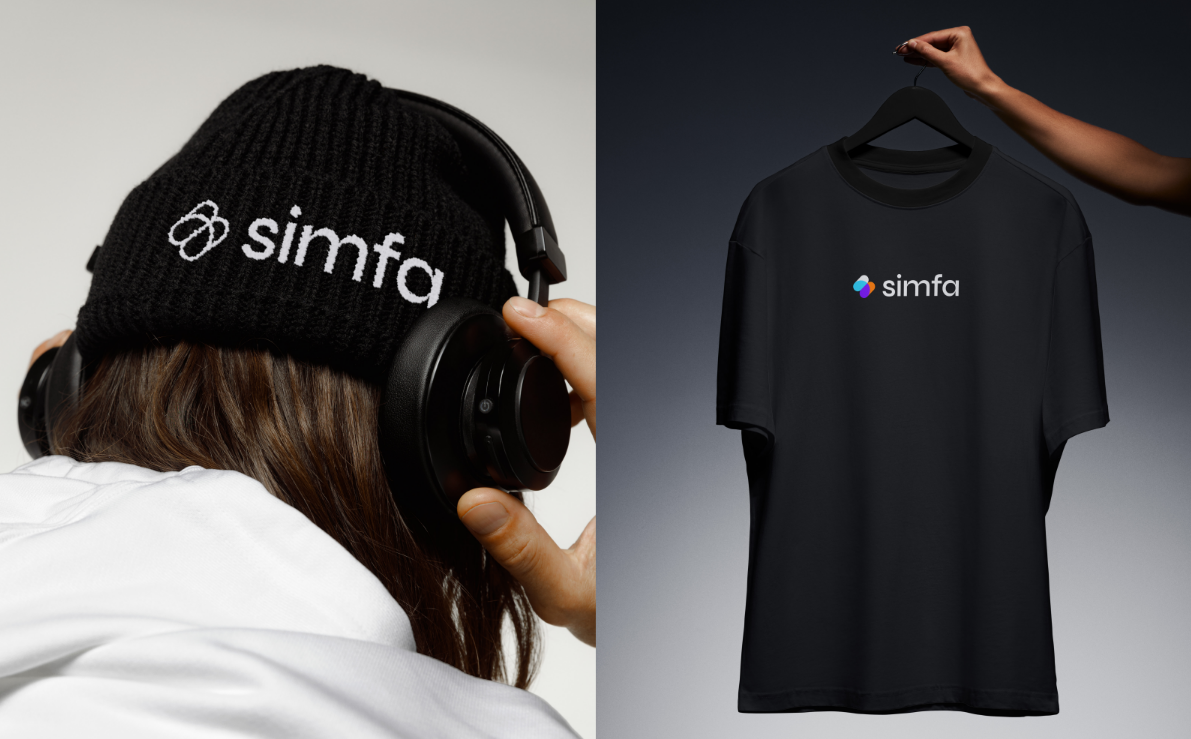
Product presentation has changed a lot over the years. On top of that, not everyone has the skills and time to make mockups using heavy editing software like Adobe Photoshop. Nowadays, businesses do not need costly photoshoots or complex software only to showcase their offerings. Instead, they learn how to do product mockups using automated design tools.
If you are wondering how to make original mockups in minutes, continue reading, as this guide will walk you through everything you need to know. It also highlights how Simfa stands out as the best option to achieve professional product mockups using AI.
What is a Product Mockup?
In its most basic definition, a product mockup is a digital visual representation of a product before the actual production begins. Another way to look at this is a way of simulating how an idea or design will appear once placed on a physical object.
Many businesses use mockups to visualize and improve designs or products. In detail, having such visual drafts helps test design ideas and make refinement decisions.
Why Product Mockups Matter in 2026?
As the digital marketplace becomes competitive, product mockups become an essential tool for startups, freelancers, and even large brands. This shift is clear. Customers often rely on visuals before purchasing a product.
For instance, a product mockup provides the target market with a clear visualization of the offerings, which makes them trust the product more quickly. In the same way, these previews are an effective strategy for customers to see that the product is of high quality, removing uncertainty. Product mockups also strengthen competitive advantages, as appealing samples make a product stand out in packed marketplaces.
Steps on How to Do Product Mockups in 2026
1. Define Product Concept and Mockup Style – Identify the product you want to showcase and decide on a visual style that aligns with the brand identity and goals.
2. Prepare Design Assets – Use high-quality photos of the product, logos, labels, and artwork to achieve realistic and professional-quality outputs.
3. Utilize AI-Powered Tools – Leverage AI tools like Simfa to automate the entire process without sacrificing quality.
4. Add Customizations – Play around with the background, colors, and other visual elements to further enhance the mockup.
5. Export for Marketing Use – Save and download the results to use them across platforms for boosting brand recognition and customer trust.
Tips to Improve Product Mockups in 2026
Creating effective product mockups can be tricky, especially for beginners. To help in the process, here are some quick tips everyone can use to improve the outputs.
- Know the target audience or market
- Do not clutter the mockup with too many elements
- Make sure the mockup matches the product
- Include a human touch
- Adapt to mockups designed for mobile viewing
Why You Should Use Simfa for Product Mockups
Looking ahead, the market is having more participants, both newcomers and seasoned players. That said, the presentation needs to succeed in helping a product outshine competitors and does so quickly. This is why businesses and brands move toward automated design ecosystems like Simfa.
This creative toolkit makes creating product mockups feel much more intuitive and applicable to modern demands. It also brings a new approach to visual marketing. And the app even simplifies the process with a beginner-friendly interface, fast rendering, and high-quality output. With the product mockup scene moving beyond complex design software, AI tools like Simfa are becoming invaluable for producing polished visuals without professional designers and steep learning curves.
Try Simfa now and get 200 free credits upon signing up!

