Reality is tougher than it sounds when making a quiz. Staring at a blank quiz template. Contemplating whether the questions test knowledge. Then comes balancing difficulty, checking answers, and formatting everything. But it’s something you shouldn’t skip.Research shows that actively recalling information through testing effectively improves long-term retention. So the problem now is to take much of that busywork off the table. Thanks to the retrieval methods AI tools use when creating quizzes, that specific kind of dread is almost nonexistent.
Students can create practice tests. Teachers can turn lessons into assessments. Trainers can build knowledge checks. All without having to build every question from scratch. In short, theseAI tools shrink a two-hour task down to about ten minutes — assuming you pick the right tool for the job. But no need to guess, this guide lists the options worth knowing.
Top Five Best AI Tools for Creating Quizzes
Quizgecko
Quizgecko is built around AI-powered quiz generation. It turns handwritten notes, lecture slides, PDFs, and web links into a structured quiz. All without much fussing over settings. The AI handles parsing and phrasing itself. Users can pick from fill-in-the-blank, true-or-false, and multiple-choice formats. It’s even possible to set the difficulty level. What’s more, Quizgecko offers explanations for every answer. Plus, there are data-driven insights that help users see which topics they are weak in.
Key Features:
Real-time grading and performance analytics
Turning educational or professional content into a usable quiz quickly
Timed practice tests for simulating actual exam conditions
Pricing:
Free Package
Plus Package – $16 per month
Ultra Package – $29 per month
Real Use Case:
No need to write questions manually all afternoon. High school teachers can use Quizgecko to prepare a biology review. All that’s needed is to upload a genetics chapter and let AI generate a practice assessment. This way, teachers can focus on checking whether the AI correctly tests concepts.
Revisely
Image Credit: Revisely
Revisely leans toward turning existing study material into learning resources. And that includes questions for general practice or quizzes. This tool comes in with a very familiar workflow. Users upload notes, PDFs, and PowerPoints. Revisely then generates questions based on the content. Three quiz types are supported. That includes multiple-choice, open-ended, and true-or-false questions. It even comes with an AI companion. Through this, users can enter prompts to give specific instructions or make customizations.
Key Features:
Shareable quizzes for group study sessions
Converting learning materials into structured practice tests
Supports a diverse set of file formats
Pricing:
Free Package
Annual Package – $2.99 per month (billed annually)
Monthly Package – $6.99 per month
Real Use Case:
Nursing students can use Revisely’s quiz generator to better review for an anatomy exam. By uploading lecture slides, they can produce a practice quiz. Students can take it, identify weak areas, and come back to the relevant material.
Quizlet
Quizlet is one of the most established names in digital studying. Its AI can generate quizzes from any uploaded material. Its standout feature is that it lets students format the questions according to their preferences. That ranges from matching and true/false to multiple-choice and written questions. Users can also set a timer to practice answering quizzes under pressure. On top of that, this tool gives useful feedback. This allows students to know what else and what still needs improvement.
Key Features:
Multiple self-testing formats
Large library of existing study sets
AI-powered feedback and auto-grading
Pricing:
Free Package
Plus Package – $7.99 per month
Plus Unlimited Package – $9.99 per month
Real Use Case:
Students dread history exams that cover specific dates, events, and people. But with Quizlet, they can turn class notes into a practice test. Quizzes that allow them to answer questions repeatedly. It makes it easier to spot which topics still need attention.
Questgen
Image Credit: Questgen
Questgen is specifically built for making quizzes. And it’s intended for students, teachers, and HR teams. It’s also tailor-made for volume. It can produce 150 quizzes from images, PDFs, text, URLs, and videos in one pass. Generating different types of questions? Questgen can do it. It can deliver fill-in-the-blank, higher-order, match-the-following, multiple-choice, and true/false questions. Users can also edit and modify the output to meet their standards. These make it useful when one standard quiz format isn’t enough.
Key Features:
Creating varied assessments from learning materials
Supports multiple file formats for import and export
Generating quizzes in bulk
Pricing:
Free Package
Pro Package – $15 per month
Real Use Case
Knowledge checks are easy to conduct with Questgen. Corporate trainers can use it to onboard new sales representatives. They can upload a product guide and generate a quiz. Questions that cover common customer scenarios, pricing rules, and product features.
Wayground (formerly Quizizz)
Wayground, after the rebranding, is not just a quiz-hosting platform. It now comes as a complete assessment ecosystem built for teachers. Of course, the tool still offers quiz generation. Users can produce questions from educational material or by entering prompts. Either way, the AI takes part in streamlining the process. Teachers can also customize the quizzes. Like adding explanations or translating questions into anotherlanguage. Wayground even lets them run quizzes as live classroom activities or assignments.
Key Features:
Turning routine assessments more fun with game-like elements
Automatic grading and performance insights
Supports multiple quiz formats
Pricing:
Free Package
School and District Package – Custom Pricing
Real Use Case:
Teachers reviewing algebra before an exam can create a Wayground assessment. In the same tool, students can answer from their own devices while the teacher monitors performance.
Choosing the Top AI Tools for Creating Quizzes in 2026
With AI tools for creating quizzes, users can start with almost any source and let AI handle the first draft. But none of the options mentioned are exactly interchangeable. They have similarities. But they excel in different areas. Quizgecko is a strong all-around generator. Revisely quickly turns existing learning material into practice. Quizlet is built around self-study. Questgen offers a wider variety of assessment formats. Wayground brings AI-generated quizzes into the classroom.
The best option depends on whether you’re a student getting ready for an exam, a teacher running a live classroom review, or a department building a reusable question bank. But whichever you choose, don’t treat the first AI-generated quiz as the finished product. Check the answers. Remove redundant questions. Ensure difficulty scaling is reasonable. The key principle? AI can build the quiz. You still decide whether it’s a good one.
Flashcards are simple. One side has a question or a word. The other has the answer. But everyone who has made them manually knows the struggle.Students spend hours turning lecture notes, textbook chapters, and presentation slides into question-and-answer cards. Manual flashcard-making eats more study time than it saves. But nobody needs to settle for the tedious process (unless you deliberately want to). Why? Because AI tools for making flashcards changed that equation.
In fact, a modern survey revealed that60.1% of students prefer digital flashcards. This handful ofAI tools now reads your notes and turns them into a ready-to-review deck. Not in hours, but in minutes. But you already know about Quizlet. So here are five options worth adding to your list.
Top Five Best AI Tools for Making Flashcards
RemNote
RemNote started as a note-taking app and later added a powerful flashcard maker. PDFs. PowerPoint files. Typed notes. Its AI can generate question-answer pairs pulled straight from a user’s material at speed. No app switching needed. Students with different learning styles will also benefit from RemNote’s diverse flashcard formats. But one of its biggest strengths is the built-in spaced repetition. The tool schedules reviews based on what a learner is likely to forget.
Key Features:
AI-powered explanation on every flashcard
Automatically generating flashcards directly from notes
Flashcard review and custom instructions support
Pricing:
Free Package
Pro Package – $10 per month
Pro with AI Package – $20 per month
Real Use Case:
Tests in medical courses are challenging to say the least. But with RemNote, students can upload lecture slides and generate cards about any topic. Exam preparation would then be easier because they can return to the source material whenever a concept needs more context.
Revisely
Image Credit: Revisely
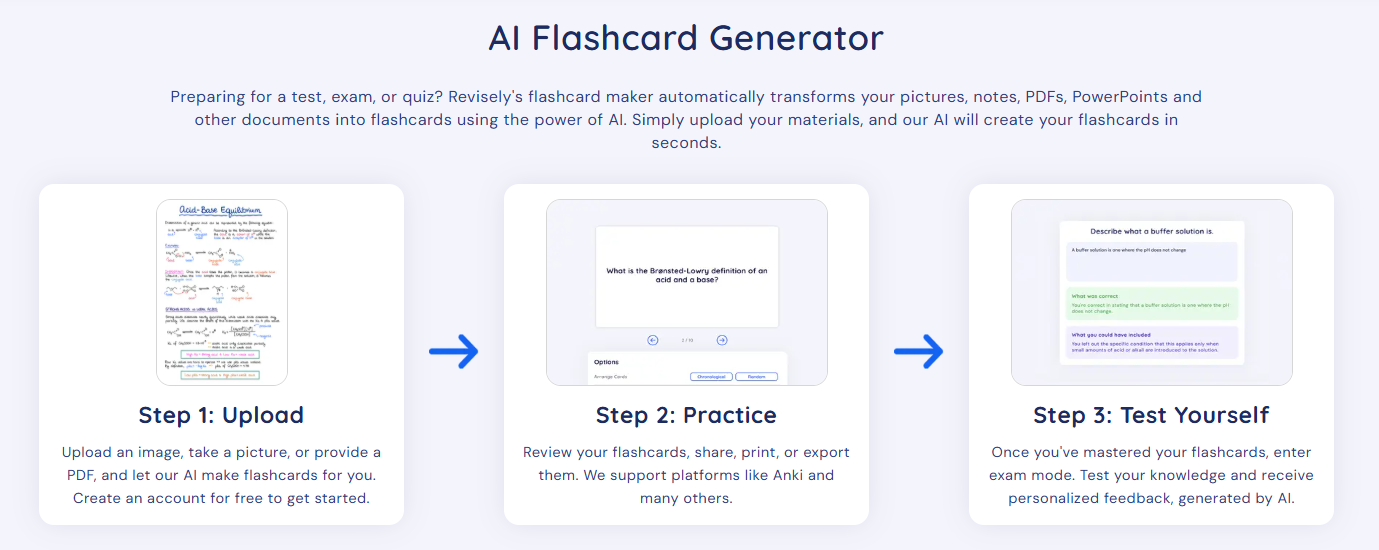
One of three core features of Revisely is its reliable AI tool for making flashcards. For ultimate convenience, this platform supports PDFs, PowerPoint presentations, and any other document type. Just upload the file, and users get an editable deck back almost immediately. Many applaud Revisely for what comes after generating them. Students can enter exam mode. Here, they can test their knowledge and get insightful feedback based on their performance.
Key Features:
Export options, including Anki
Supports single-sided and double-sided approaches for flashcard printing
Personalized feedback for progressive learning
Pricing:
Free Package
Annual Package – $2.99 per month (billed annually)
Monthly Package – $6.99 per month
Real Use Case:
Revisely allows online students to paste a video link instead of rewatching it to take notes. It makes a summary and a deck of flashcards from the key points. Students walk away with a reviewable deck. Not an hour of raw video they’d have to rewatch.
Gizmo
Gizmo focuses on making flashcard creation almost effortless. Like other AI tools for making flashcards, users can quickly produce study decks by uploading a PDF, PowerPoint, photos, or a YouTube video. What sets it apart is its approach. Gizmo leans into gamification. The flashcards are wrapped in streaks, hearts, and leaderboards. And that’s part of why it’s a good pick. Its real innovation isn’t card quality. It’s making users build a daily habit through game mechanics.
Key Features:
Making study decks based on spaced repetition and active recall methods
Shareable flashcards for group studies
Magic Import for multiple types of study material
Pricing:
Free Package
Ultra – Annual Package – $12.49 per month
Ultra – Monthly Package – $24.99 per month
Real Use Case:
High schoolers who prefer studying in pairs can use Gizmo. Students can let Gizmo transcribe a lecture and turn it into flashcards instantly. Then, they can challenge their study partners in a review battle before the exam.
Knowt
Image Credit: Knowt
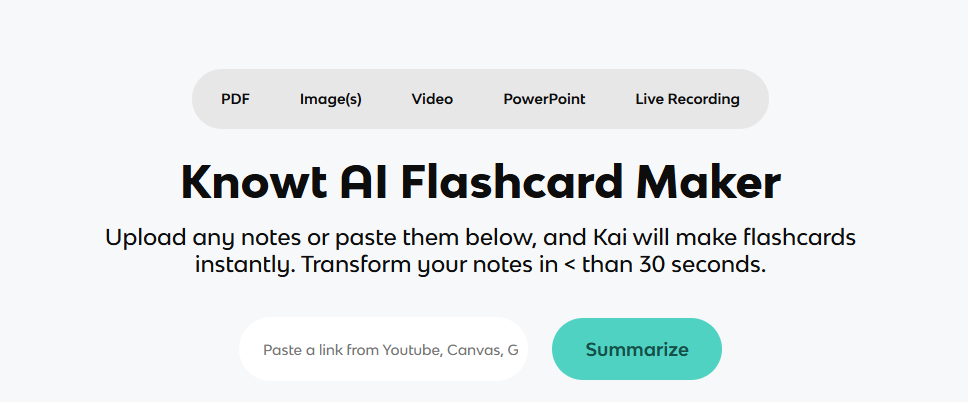
Among AI tools for making flashcards, Knowt specifically positions itself as the top Quizlet alternative. For starters, it’s packed with AI tools for notetaking and summarizing PDFs and videos. This allows users to identify key notes quickly. Using an active recall method, its AI then creates organized, interactive flashcards. There’s even a library that contains ready-made flashcards. Customization is also available. Students can add more information, integrate an image, and rephrase questions.
Key Features:
AI chatbot for customizing flashcards
Dedicated space-repetition mode for effective learning
Large collection of existing study resources
Pricing:
Free Package
Pro Package – $12 per month
Team Package – $39 per month
Enterprise Package – Custom Pricing
Real Use Case:
Knowt can help students looking to transfer from Quizlet. Using a browser extension, they can import their whole study decks into Knowt. Then, they can generate new flashcards from recorded lectures without re-typing anything.
Brainscape
Brainscape takes a more adaptive approach to flashcards. At its core, it’s capable of generating flashcards from any source material. Users can also customize their flashcards. Adding images. Formatting texts. Integrating GIFs. It even comes with a library of flashcards. All made by experts, from publishers to educators. It stands out for its confidence-based repetition system. Brainscape adjusts reviews according to how well the learner knows each card. Low-confidence cards resurface. Cards users know well fade out.
Key Features:
AI-generated flashcards
Progress tracking and analytics
Strong emphasis on long-term retention
Pricing:
Free Package
Pro Package – $19.99 per month
Enterprise Package – Custom Pricing
Real Use Case:
Law students can upload case notes and generate cards covering complex topics. Brainscape can then prioritize cards that they consistently struggle to remember.
Choosing the Best AI Tools for Making Flashcards in 2026
One effective way to up your study habits is to take advantage of smart platforms that streamline tedious work. With AI tools for creating flashcards, students can hand over their study material and get testable cards in minutes.
When choosing, consider a tool that offers image support, customization, note-taking, and spaced repetition. But among these suggested options, there’s no one-size-fits-all winner. RemNote fits dense, connected material. Revisely wins on raw generation speed. Gizmo and Knowt suit anyone who needs the habit-forming push of gamification or a free daily driver. Brainscape emphasizes adaptive review.
Remember that automatically generated cards aren’t useful if half contain unnecessary details. So review the AI’s output, remove weak cards, and keep the questions focused.
Plants have never been only food or medicine. Across history, they carried meaning far beyond their chemistry. A flower could mark a season, a mushroom could open a ceremony, and a leaf could signal the sacred.
Today a new generation is rediscovering these traditions with fresh curiosity. Brands like Amentara pair botanicals with the cultural context that gives them depth. This piece traces how plants took root in ritual, folklore, and art.
Why Have Plants Always Held Ritual Meaning?
Ritual gives shape to the moments that matter most. Plants offered early communities a shared language for those moments. A specific flower or root could mark a birth, a harvest, or a farewell.
That symbolism grew from close observation of nature. People noticed which plants bloomed, healed, or shifted with the seasons. Over generations, that knowledge hardened into tradition.
Fire, water, and plant life formed the core of most early rites. Herbs were burned, brewed, or worn to mark a threshold. The plant became both the tool and the message. Western scholars only began cataloging these customs closely in the 1800s.
Scholars still study these customs across many cultures. One survey of ritual plants in Yunnan links belief and botany closely. Similar records reach from Europe to Southeast Asia.
This is why so many plants carry a double life. They feed the body and also feed the imagination. That second role is what art history remembers best.
Which Botanicals Shaped Folk Tradition?
Several plants and fungi stand out for their long folk history. Each earned its place through centuries of storytelling.
The fly agaric mushroom, with its red-and-white cap, fills fairy tales and winter folklore.
The blue lotus appeared in ancient Egyptian ceremony and poetry.
Kava has anchored community gatherings across the Pacific for generations.
Kanna features in the oral traditions of southern Africa.
Mugwort and other herbs guarded doorways in European folk custom.
Folklore rarely treats these plants as mere ingredients. They become characters, omens, and gifts. Illustrators still return to that well, as playful collections of Baltic folklore remind us.
These stories also crossed borders with ease. A mushroom in one region’s fable often echoed another’s harvest rite. That shared imagination is half the appeal for readers today.
How Do Botanicals Appear In Art History?
Artists have painted plants for as long as they have painted anything. Botanicals offered colour, symbol, and story in a single form.
Ancient Egypt loved the blue lotus above all. A Met Museum lotiform chalice from the New Kingdom captures that reverence. The blossom stood for rebirth and the rising sun for over 3,000 years.
Medieval herbals turned plants into careful study. Monks and scholars illustrated leaves, roots, and flowers by hand. Those pages blended observation, faith, and craft in equal measure. The genus Amanita alone holds more than 600 species worth drawing.
The fly agaric took a different route into art. Its glowing cap appears in folk painting, storybook pages, and modern design. That fascination lives on in a feature on four mushroom artists, from macro photography to bold canvases.
Plants let artists say complex things simply. A single bloom could hint at love, loss, or renewal. That shorthand still reads clearly across centuries.
What Should Curious Readers Keep In Mind?
Interest in botanicals is healthy, and a little care makes it richer. A few practical points help.
Keep exploration adults-only, which usually means 18 or 21 depending on the place.
Legality varies by location, so check your local rules first.
Some botanicals can cause unwanted side effects, especially if misused or improperly prepared.
Interactions are possible, so consult a qualified professional, especially alongside any medication.
Research is still limited, and some studies are industry-funded or pay-for-play.
Favour sellers who share clear sourcing and preparation notes.
None of this dims the wonder. It simply keeps curiosity grounded in respect for the tradition.
How Are Botanicals Woven Into Culture Today?
The old symbolism has found a modern audience. By 2026, botanicals appear in galleries, playlists, and quiet home rituals.
Musicians credit plants and fungi as creative sparks. Designers borrow their forms for prints and packaging. The imagery feels fresh because the roots run so deep.
Wellness shops now stock dried caps, teas, and tinctures beside candles and incense. The setting often matters as much as the plant itself. Ritual, it turns out, never really left the room.
What ties it together is meaning, not novelty. People want the story behind the plant, not just the product. Tradition gives that story its lasting weight.
Threads Worth Remembering
Plants have carried ritual meaning across nearly every culture.
Folk tradition turned botanicals into characters and omens.
Art history preserved that symbolism, from Egypt onward.
The fly agaric and blue lotus remain vivid cultural icons.
Curiosity works best with respect, care, and local legality checks.
Where Tradition Meets Curiosity
Botanicals reward anyone willing to look past the surface. Their stories link the sacred, the everyday, and the artistic. That range is what keeps them so compelling.
Explore them with an open, informed mind. The tradition is generous to readers who treat it with care.
FAQ
Why Did Ancient Cultures Use Plants In Ritual?
Plants gave people a shared language for life’s big moments. Their bloom, scent, and healing power felt meaningful. Communities wove them into ceremony to mark seasons, healing, and belonging.
Is the Fly Agaric the Same as Deadly Amanitas?
No, that is a common myth. The fly agaric is distinct from the genuinely deadly Amanita species, such as the death cap. Prepared with care, it holds a long tradition of respectful use.
How Did Artists Use the Blue Lotus?
Egyptian artists shaped the blue lotus into chalices, jewellery, and painted wall scenes. The flower symbolized rebirth and the morning sun. It became one of the most depicted plants of the ancient world.
Are Botanicals Legal to Explore Today?
Legality varies widely by country and region. Some botanicals are unrestricted, while others face local rules. Always check your own laws, keep it adults-only, and consult a professional first.
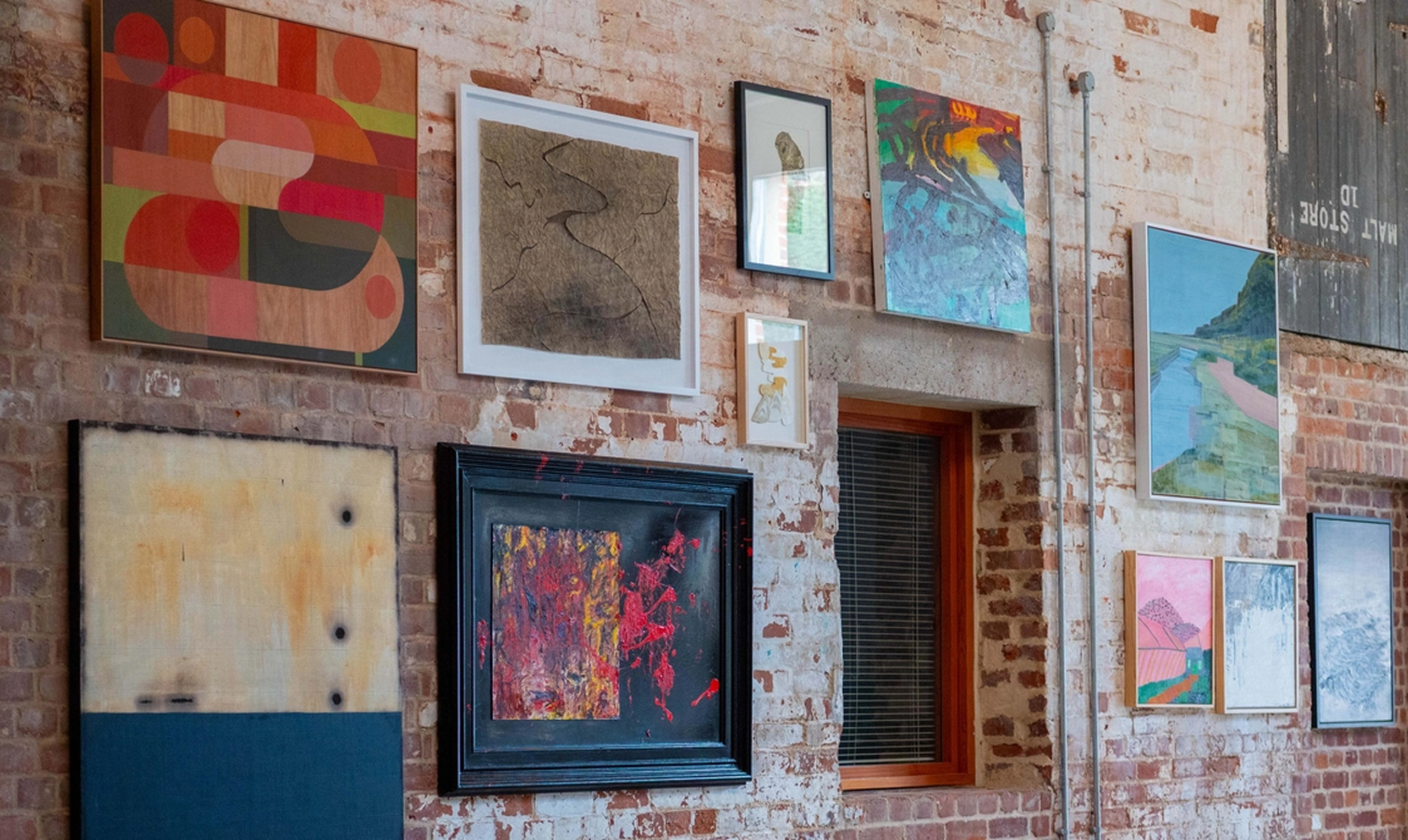
At Snape Maltings, art and landscape have always shared the stage with music. From 25 July to 30 August, Britten Pears Arts stages its most ambitious summer exhibition yet — five weeks, over 200 works, and a site that stretches from concert hall foyer to dovecote studio. Entry is free. Every piece is for sale, and every sale helps fund the charity’s wider cultural work. The curator for the exhibition is the highly-regarded Devi Singh.
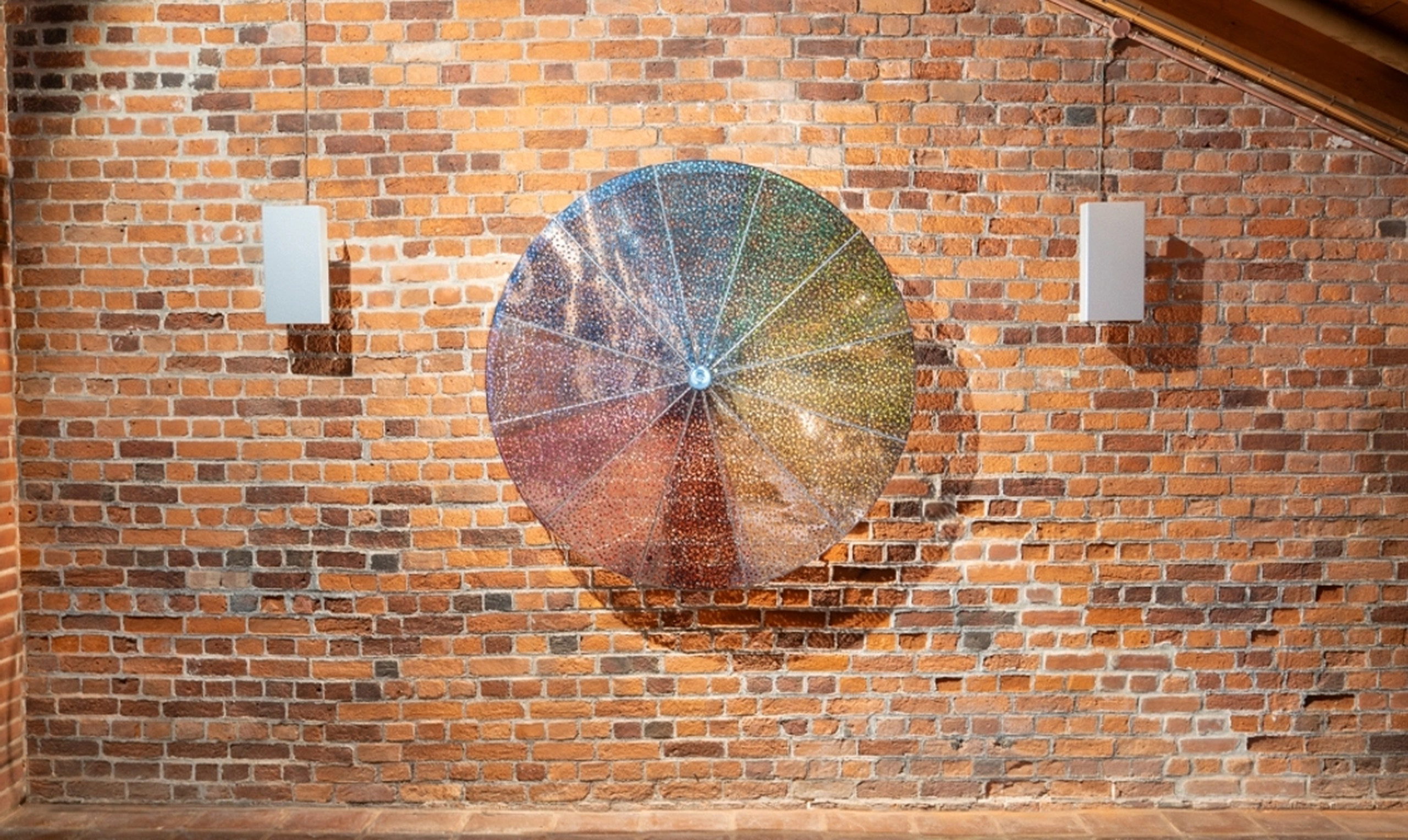
Gracing the catalogue cover is Abe Odedina’s Foreplay, a bold acrylic-on-plywood panel. Odedina, born in Ibadan and now dividing his time between London and Salvador Bahia, abandoned a career in architecture after a trip to Brazil, and his self-described “folk” style, flat, frontal, unmistakably graphic, draws equally on Yoruba mythology and the hand-painted shopfronts of Lagos and Port-au-Prince. A short walk away, in the Concert Hall foyer, sits the show’s most expensive work: Conrad Shawcross RA’s motorised, mirror-polished steel sculpture. Shawcross, elected the Royal Academy’s youngest Academician at 36, built his reputation on mechanical forms governed by scientific and geometric logic, and this piece keeps that logic turning slowly and silently as concertgoers pass beneath it each evening.
Ash Xu LG, a London-based digital artist and member of The London Group, presents Robotic Arm of Chaos — a small interactive installation that behaves like nothing else on site. Left undisturbed, the arm rotates in slow, steady arcs. The moment a visitor draws near, sensors register the presence and the motion fractures — irregular, unpredictable, almost startled. It’s ambition is the largest in the room: a quiet study of how people and machines might learn to coexist, staged not on canvas but in real time, in front of you. In addition, Maggi Hambling previews her autumn show, Woo Jin Joo’s embroidered landscapes reward a walk across two galleries, and Harry Hill and Dame Maureen Lipman remind visitors that serious collecting and unexpected joy needn’t be strangers. Summer Contemporary runs daily from 10am until the evening performance begins.
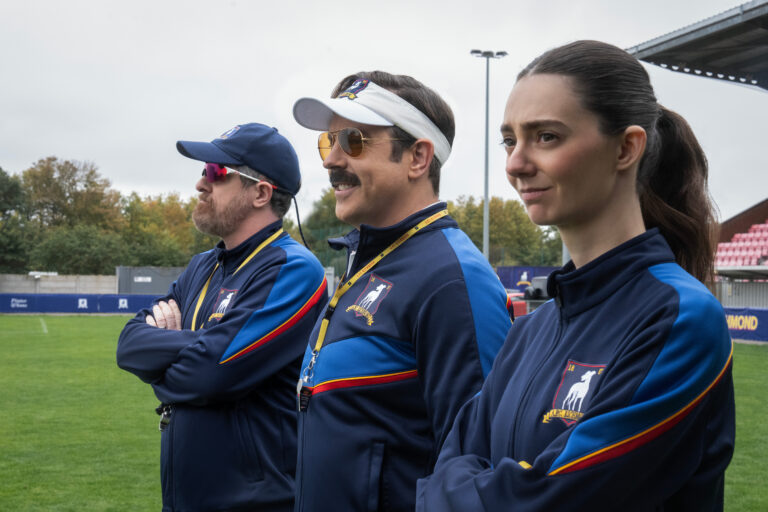
After a three-year break, heartwarming Apple TV series Ted Lasso is back. While the show initially hinted that the third season would be its last, the powers that be decided that the story is not over. We’re not complaining one bit.
The new episodes see the relentlessly positive coach back at Richmond, so the show definitely has the potential to keep going. Does that mean another installment is happening? Here’s everything we know so far.
Ted Lasso Season 5 Release Date
At the time of writing, Apple TV hasn’t announced whether Ted Lasso season 5 is in the works. That said, only one season 4 episode dropped so far. There is still time.
The streamer seems more than willing to go all in on the popular series, and co-creator/star Jason Sudeikis hinted in a recent interview that he has another three-season plan in mind.
If all goes well, season 5 could arrive in 2027.
Ted Lasso Cast
Jason Sudeikis as Ted Lasso
Hannah Waddingham as Rebecca Welton
Jeremy Swift as Leslie Higgins
Brett Goldstein as Roy Kent
Brendan Hunt as Coach Beard
Juno Temple as Keeley Jones
Tanya Reynolds as Coach Alice
What Could Happen in Ted Lasso Season 5?
Ted Lasso revolves around the titular character, an upbeat American college football coach unexpectedly hired to manage AFC Richmond, a struggling Premier League club. Armed with relentless optimism, he gradually wins over everyone. The show mixes humour with emotional storytelling, while also acting as a strong reminder that kindness reigns supreme.
If you need a quick refresher, season 3 ended on a pretty definite note. Ted decided to return to Kansas to be a more present father to his son. Roy took over as Richmond’s new head coach, Nate rejoined the club, Beard got married, and Rebecca reconnected with the Dutch pilot she met earlier in the season. Finally, Keeley pitched the idea of launching an AFC Richmond women’s team.
That idea fuels the show’s new chapter. Season 4 picks up with Rebecca, Keeley, and Higgins visiting Ted in the US. They persuade him to return to England to coach the Lady Greyhounds, kickstarting a new era for the character. Whether he’s as successful as he was in building up the men’s team remains to be seen.
As for Ted Lasso season 5, it’s a bit early to speculate. We’re guessing the show will continue in the same vein, following the characters as they take on fresh challenges. Until then, you can catch new season 4 episodes every Wednesday through October 7 on Apple TV.
Are There Other Shows Like Ted Lasso?
If you enjoy Ted Lasso, check out some other life-affirming shows. The list includes Shrinking, Scrubs, Parks and Recreation,Trying, The Good Place, andRunning Point.
In this segment, we showcase the most notable albums out each week. Here are the albums out on August 7, 2026.
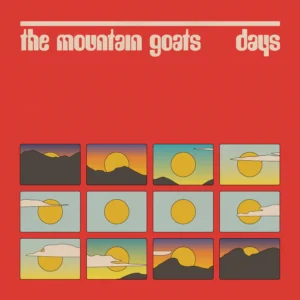
The Mountain Goats, Days
The Mountain Goats’ new album, Days, began as a joke about a sequel to 2017’s Goths that would called Grunges. Naturally, it evolved into an earnest, nostalgic, and sprightly collection of songs, with John Congleton producing as the band recorded at Sear Sound in Manhattan. “These songs are loosely about the 70s, 80s, and 90s, which is to say they’re about the accumulation of days, each one a little further back than the next, sometimes miraculously seeming clearer as they recede and sometimes blurring into unrecognizable shapes which are sometimes pleasant and sometimes troubling,” John Darnielle explained. “Most songs here are in major keys but don’t let that fool you. If you do let that fool you I have a bridge to sell you; there is nothing on the other side of the bridge. Still, you shouldn’t let that deter you. Who am I to tell you what kind of bridge you need, or where the bridge you need should lead? Nobody, really. Nobody at all.”
Three years after Soon, Hana Stretton is back with a new album, tiarn, released via Phil Elverum’s P.W. Elverum & Sun label. The multi-instrumentalist and producer made the album while living in the secluded beach town of Lake Tabourie. Describing her creative process, she said in our Artist Spotlight interview: “I have a very clear idea of where I am before I start; not physically where I am, but in my imagination. Where I want the song to live: Is it near water? What kind of animals live there? Is it hot? Is it cold? And that dictates the notes that come up, and the color that I’m making, and the time of day that it feels like, and it gives context to everything. It makes making itself so much more natural and easy.”
Ravyn Lenae expands her musical palette on her latest album, Blue Island, out now via Atlantic. The follow-up to 2024’s Bird’s Eye reunites the Chicago artist with Dahi on executive production, cruising through various styles of R&B, indie rock, and psychedelia. “‘Blue Island’ is a point of arrival, and feeling set in my ways and in who I am, and feeling free of any of those preconceived notions about Blackness or what I had to be in the past,” Lenae explained. “I think now it’s fun to challenge the idea of what R&B is supposed to sound like, what pop is supposed to sound like… and really say ‘fuck all of that’ and do my own thing.’”
Man/Woman/Chainsaw have come through with their debut album, Cannonball. Following 2024’s Eazy Peazy EP, it finds the London septet augmenting their chaotic post-punk with elements of grunge, chamber-pop, and blues-punk. They recorded the album with producers Seth Evans and Margo Broom, initially aiming for “a whole record of bangers – having everything be really in your face like a Rage Against the Machine record,” according to drummer Lola Cherry. “We soon realised we weren’t Rage Against the Machine and leant into the softer moments of the album which I think has really become a big part of our sound.”
Overmono have followed up their 2023 debut Good Lies with a new album, Pure Devotion. The Welsh electronic duo of brothers Tom and Ed Russell sought to highlight the physicality of their studio process throughout the record: “Setting up loads of ways of processing, recording, re amping sounds…” they explained. “‘The vocal isn’t sitting quite right?’ let’s track it through an old tannoy speaker in the basement. that synth needs to twang harder? let’s play it through an old train station announcement speaker from the 1930’s.’ we ran tape over magnets, blew up some speakers and finally utilised that dirt cheap overclocked fx unit we snaffled years ago in bromley. we even oven baked a cymbal covered in coffee grounds, crisps and vinegar – thank you sylvia massy for that one.”
Rowena Wise has unveiled her sophomore album, Bad Things Feel Good*, via 22TWENTY and Beloved Records. The Australian artist worked with producer Rob Muinos (Julia Jacklin, Didirri) on the follow-up to 2024’s Senseless Acts of Beauty, recording live over three days at Ratshack Studios in Collingwood with bassist Richard Bradbeer and drummer Jess Ellwood. “I have been careless with my heart, dishonest to myself about what I want and who I am,” Wise reflected in a press release. “I’ve loved, lost, and left the realm of comfort to pursue hard truths. I realise now that pain has become something that doesn’t senselessly happen. It comes as one part of a larger picture, and I want to learn from it rather than recoil. Now I don’t know who I am, but I do know that I just want to be human, to be at peace with the messiness of life without continuing to try to tell a clean, novel story about it.”
Margaret Glaspy’s elegantly poignant new album, I Am Both, has arrived via ATO Records. The singer-songwriter made the record, which was produced by Joe Henry, after stepping away from social media. “When I started writing for this record I had a goal of getting my practice back – to walk the walk in terms of how I envision myself as a songwriter,” Glaspy recalled. “At first it was really hard to break that addiction to social media, but after a while something shifted. It felt like I’d gotten back to original thought instead of being under the influence of so many outside opinions. It was life-changing.”
Karol G, No Me Arrepiento de Sentir Tanto; God of War, molly picture; FLO, Therapy at the Club; Roy Montgomery and Martha Skye Murphy, Nebular; Ceremony, Tell Me Your Dream Hardcore; Nino Paid, Somewhere Over the Rainbow; Blums, Sunk Cost Fantasy; Dinner Party, Watchu Bringing?; Slow Fiction, dollhouse ;Dionne Warwick, Dwuets; John Carpenter, Cathedral; Maya Ongaku, Nothing Space Music; Nate Sib, Reborn; Role Model, Chuck Timely & The Hourglass; Wealthy Women, Children; wave to earth, bad pieces; Sissi Rada, Serious Songs.
True crime content tends to do numbers on Netflix, and The Idaho Murders: College Nightmare is no exception. The recent docuseries has quickly climbed the platform’s charts to become the most-watched show globally.
With 18.2 million views this week, it also secured the #1 spot in 34 countries. Obviously, there is a lot of interest surrounding the case. Does this mean a second installment might happen? Here’s what we know so far.
The Idaho Murders: College Nightmare Season 2 Release Date
At the time of writing, there’s no official news on a potential The Idaho Murders: College Nightmare season 2.
That said, a follow-up is unlikely unless new information comes to light. The three episodes streaming cover the story in a satisfying manner.
The Idaho Murders: College Nightmare Cast
Anthony Dahlinger
Baylie Miller
Maya Hippenstiel
Peter Elgorriaga
Jeffrey Kernodle
Steve Goncalves
Cooper Atkinson
Alivea Goncalves Stevenson
Kristi Goncalves
What Is The Idaho Murders: College Nightmare About?
The Idaho Murders: College Nightmare revisits one of America’s most shocking recent murder cases. In 2022, four University of Idaho students were fatally stabbed inside a rental house near campus in Moscow, Idaho. The brutality of the killings, combined with the absence of an immediate suspect, sparked intense media attention. It also led to widespread speculation online.
The authorities arrested Bryan Kohberger, then a criminology PhD student at a nearby university, in December 2022. In 2025, he pleaded guilty. Now, he’s trying to withdraw his guilty plea.
The Netflix docuseries recounts the story with a focus on the victims: Kaylee Goncalves, Madison Mogen, Xana Kernodle, and Ethan Chapin. It shows police bodycam footage and archival material. On top of that, it features interviews with family members, friends, investigators, and journalists.
Everything in order to reconstruct the events leading up to the killings and the weeks-long investigation. Rather than dwelling on the crime itself, the show aims to honor the victims. It explores who they were before tragedy struck and examines how the murders forever changed their close-knit college community.
While The Idaho Murders: College Nightmare season 2 is unlikely, the three episodes available include extensive firsthand material. They also explore the wider impact of the crime, so they are likely to stick with viewers for the long haul.
Are There Other Shows Like The Idaho Murders: College Nightmare?
If you were gripped by The Idaho Murders: College Nightmare, we recommend queuing up some of the other true crime content streaming on Netflix.
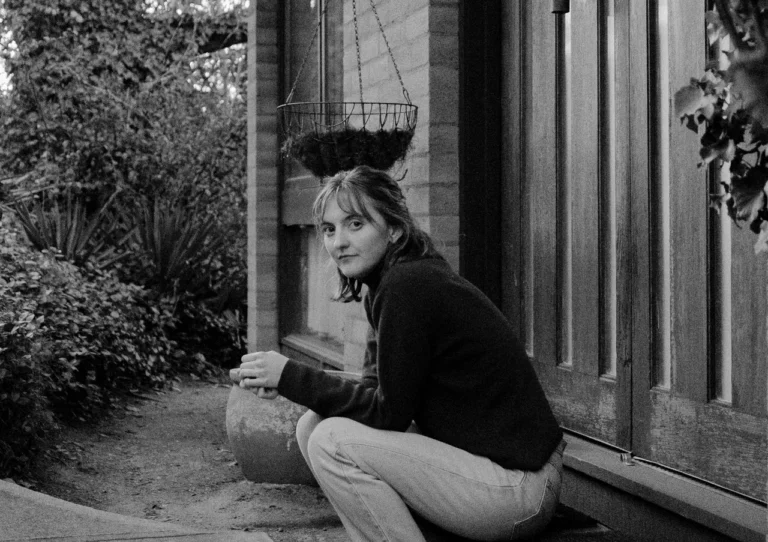
Hana Stretton is an Australian-British singer-songwriter and producer who grew up on a farm in New South Wales. Ten years ago, she recorded her first single that would make the rounds on the internet, ‘The Thrill of Loneliness’, which was quickly followed by the Wail EP. Stretton self-produced her debut album, 2023’s hazy, impressionistic Soon, alone on her grandmother’s farm after she passed away, tending to the land and its animals during the Australian wildfires of 2019. Its soft, ghostly meditations reached Phil Elverum, who reissued the album via his P.W. Elverum & Sun label in 2024, and is now releasing Stretton’s second full-length, tiarn. This time, the composer’s solitary instincts led her to Lake Tabourie, a beach town south of Ulladulla, suffusing the album with the ephemeral beauty and rich textures of the blue hour, her voice a gentle presence wary of intrusion. It feels like waking up to the unsurety of dusk and treating its porous boundaries like a fresh start, not a natural conclusion: bountiful in its subtlety, ambient folk with an emphasis on folk, open to reinterpreation. Weaving in field recordings alongside contributions from an opera singer, a string quartet, and Forest Creek Folk, a local 60-person choir Stretton has since joined, it threads the needle between Stretton’s nature-bound lonerism and a more community-oriented existence. Or maybe it simply blurs the line between the human and the non-human, careful with it all.
We caught up with Hana Stretton for this edition of our Artist Spotlight interview series to talk about her earliest musical memories, finding community, the process behind tiarn, and more.
I was listening to the record alone at night, out on a walk, with noise-cancelling headphones. The moment they muffled the world around me, it felt like I was doing a disservice to the record. There were these natural sounds buzzing around me, and tuning them out felt somehow wrong. I don’t know if you feel strongly about this one way or another.
I do, totally. I love that you felt that way, because you have described exactly kind of how I made the album – walking alone in nature at night. If the world around you exists in that exact same light, then it’s part of it, so you gotta put it on the half-cancelling setting. [laughs] Let the world in. But some of my favorite music, if I’m having a really stressed-out day and I’m trying to get from one place to another in London, that’s when I can bleed the world out and just be soothed by another place, musically. It’s contextual.
If you’re on the underground, you want to minimize the noise as much as possible. But if there are cicadas singing, and those same sounds are on the record…
Bring it in! That’s so beautiful. If you’re by the beach, let the sea in, you know? If you’re by a tree, let the wind in. That makes me really happy.
Can you tell me more about your own listening habits? How have they evolved over time? Are there some things that have stayed the same since you were a child?
That’s a really good question. I would say my world has gotten smaller when it comes to the music I listen to. It’s very specific, and very tied to emotion and place. When I was a kid, I was living on a farm in Australia, and I would go off on my own. I was a bit of a dirt kid. I would take my dog, and we would go off, and I would take my Walkman and kind of enact what I was listening to. It was very much like the music was part of my surroundings, and the surroundings were part of the music I was listening to, so I don’t think that’s really changed. And then when I started making music in my teens, I would take cassette machines to the river and record there. Nature has kind of always found its way into the way I make music, so it’s intertwined. I wouldn’t even know how to separate them, which is why studios are – I feel like a fish out of water.
Do you mind sharing a memory of enacting music in that way?
There was a really big rock, just like The Lion King – the big rock where they walk out. We had one of those on the farm that looked exactly like that. I would take my dog, Bonnie, and I would pretend and sing all The Lion King songs. Things like that. Every day it was an obsession to become – it’s so silly. [laughs] That’s more musical theater-y type stuff, but it did happen with dancing along to Britney Spears as well. But yeah, music was always being taken off by me as a kid, I wouldn’t listen to it in the house. I would go, “Bye, everyone,” as a little five-year-old, and go and walk far off into the paddocks to listen. It was kind of my thing.
And that’s kind of stayed with you, I presume?
Yeah, it’s my little world. I’m very protective of it.
How do you feel, then, when you’re at a concert, or when live music started becoming part of your world?
I think I’ve never been a big gig person, and even playing them is difficult. I wouldn’t consider myself a performer at all. I really struggle with this next phase of my music life. I really don’t believe that it suits me at all, but I’m trying it out. I’m just gonna try and see whether I can maneuver the uncomfortability of it by doing it. By the end of the year, I’m doing so many shows that I’m hoping I’ll have a better sense of whether this is something I do throughout my life or not. That’s a big question I’m asking myself. If people want to come to a show, they should probably do it soon, because I don’t know if I’ll continue. I don’t know if I’ll be able to. It’s not good for me at this point in time, but I’m hoping that will shift.
Does the idea of touring feel different to you compared to traveling in a way that feels significant to you? Or is traveling part of what makes touring an exciting prospect?
That was the dream. I think when touring started becoming more of a reality as something I could do, I thought, “How incredible,” because I’m a big traveler. I’ve always traveled, and I really loved to travel by myself, so I wasn’t scared and I was really thrilled to be able to do it. But then it just got hard very quickly. I really struggle with being perceived, being in front of people. To be honest, I’m still trying to figure out why all of that is so difficult. But I don’t think that I’m alone. I think a lot of people who make weird music in their bedroom and find creativity that way, and thrive in aloneness – of course it wouldn’t match up that they’d be necessarily fantastic performers and love it. I’d really love to be able to travel, perform, and feel good about it, but I’m not there yet.
Talking about it isn’t going to replicate that experience, but have you had conversations with people who have, if not shifted your understanding, encouraged to think about performing differently?
I think the way that I’ve learned how to perform in a really healthy and good way is to take community with me, whether it be WOOM as a group of friends [with whom Stretton is touring in September] or performing with a choir in Australia. The shift between solo performance, which feels self-aggrandizing and strange, to a community project is so soothing to me. It completely recontextualizes it so I feel completely okay with doing shows. One idea that I might do in the future is to go to towns, find small choirs, and stay for a week at a time with a choir to the point where we can do a small show, and then move around that way. Because then you can really get into a community, meet lots of people, have a lovely time swimming in the rivers, and get to know an area super well. So you’re getting all of that travel and community in there. That might be on the cards for my future. Sometimes we just have to recontextualize things for ourselves, to suit our personalities.
Does that experience of singing in choirs recontextualize tiarn as a record as well, listening back? Do you see the record in a different light, having had those experiences post-recording? Do the harmonies feel different or lonelier in some ways?
There’s a lot that happened within this album to help me get into community, and I can see that now two years on. I made most of it in the winter of 2023, so it’s been three years. But I was so happy in my aloneness. And I could see that at some point, my subconscious, without me knowing, was saying, “Look, it’s time, Hana. You have to get out and speak to people, and be part of something.” That wasn’t really something I could access because I was so happy on my own, but I’m still human at the end of the day. I can say to you now that I’ve learned how much I need community through the music needing me to get out. I was stomping around in five different pairs of shoes on a plank of wood, pretending I was a group of people dancing. Being one person on the left-hand side of the room and another person on the right-hand side of the room, 100 times over, to pretend I was a big choir – at some point, you just have to go, “This is ridiculous.” The music wants what it wants, and you have to go and find it. So, I’m glad I did.
I read an interview you did with Catrin Vincent three years ago, and a lot of things were aligning for you at the time, from traveling to Tokyo to being asked to support Mount Eerie. Did the following months, the beginnings of the record, change the way you viewed music or the music industry? Did isolating yourself put you at a distance from how it might be perceived?
I wasn’t thinking about it at all. I don’t think about releasing the music or how it’s gonna be taken by other people. I also have this very stubborn idea that nobody is listening or cares, which is very freeing, but so stubborn that everything surprises me continually. But I kind of need that. I need to be left alone in every regard, and that includes the idea of perception itself by other people, in order to be as weird as I need to be to make what I make. I think now that I’m done, all that I’ve done is quite formulaic, actually, this time. But it does hit a rude shock that all this exists on the other side of making it.
Around that time, you found some footage of your family living in Japan in the ’90s, which served as a guiding light during the recording. Did you find that the line got blurry between your environment and where you were living in your day-to-day life, and then this memory of time and place that you never got to experience? Was that something that felt palpable to you at any point during that process?
That’s an incredible perception, because, yeah, absolutely. My creativity came up mostly around that blue hour time, which is when the video is set, and I was also living on a lake, where the video is also set there in Japan. I don’t really know why that film was so sustaining, but I think it’s always strange to see your family – how they interact with each other, how they move – to be so different to how you know them. I was fascinated by all the interaction between my family members feeling quite different to after I was born. I just kept making to that film. I was so glad that I had such a draw to it. And then I took it to my dad, and I said, “I hope this is okay. I just want your permission, because I’ve made this music—” half an album at that point —”to this footage of you guys.” And they said, “Well, that’s pretty weird, because that was, if not the day, then the week of your conception.” [laughs] So, I’d made an album to my own conception, which I don’t think there’s any significance in that at all, but it’s still pretty strange.
I was curious if that was the only video and that’s why you clung to it, or whether there was a lot of material and you just gravitated to that one.
I gravitated to that one because it was already the visual that I had in my head for where I wanted the music to be set. I found it quite strange that this perfect encapsulation of what I was imagining existed in this video. Also, they’re being very still, listening to music down in the valley. I had already decided, prior to seeing this footage at all, that I would have it set in a valley overlooking water, with music and opera coming up delicately from far away. A lot aligned for that to be very right for this project.
You mentioned feeling like a fish out of water in professional studios, which made me want to ask about making your own space. Apart from the aloneness and the freedom to be weird in your own space, what’s important for you in making your home studio comfortable?
I think I keep everything that I use super shitty and minimal because I’m pretty technologically challenged. I don’t enjoy learning techy things, and really stubbornly so. I don’t want a synth with lots of buttons or a DAW that asks too much of me. I pretty much just use one EQ, and that’s it, on everything. My Ableton use is pretty rudimentary. So I like to keep my studio quite real, just covered in crappy instruments I’ve picked up for $10 somewhere and tried to play. I believe in accessibility, especially for women, and trying to show to myself and maybe others that you really don’t need much at all to make things.
Listening to your music, too, it feels like the bigger project is not to stay inside, but to integrate things from the outside world. Your day-to-day life at the time is really heard on this album, and I’m curious how much of it you felt like you were consciously translating and capturing it, or if it was more so glimpses of it that seeped through.
I think the most conscious part of my life when I’m making and living alone in this kind of way is how I’m interacting with nature every day. The music comes secondary to that. Naturally, I’m just spending so much of my time outside, and so much of my productivity is outside, so it’s got to come indoors that way. But I’m very passionate about – not just for myself – coming back to nature a bit more, getting off our devices, getting off phones, and just being part of it a bit more.
I read that you’re a dumb phone user, which I’m curious about.
Yeah. I was getting to the point with my despair about the world where it was really damaging my life and making me quite angry at people, and I couldn’t join the dots and be okay with it all. But getting off my devices and getting out into nature much more really softened my life so much. I believe in softness, especially in this world that is very sharp and demanding our attention constantly. My nervous system has calmed down, and I’m generally a lot happier. I can tell you that my phone is an AGM M7, and it has the most hilarious version of Maps and WhatsApp.
Those are the two extra things you need.
For so long I said, “Oh, I can’t change because I need Maps and WhatsApp,” but I bloody found it, and it’s really good. [laughs] It’s called “the rugged man’s camping phone,” so I guess I’m a rugged man.
One thing that drew me to the album is that I feel like there’s a lot of production or experimentation that defines the structure of a composition, but there are some tracks, like ‘As If Was Before This’, that seem to naturally cling to a song form. Do you feel like there’s an instinct that you have for when a song needs to retain that form, or when it’s more improvisational? Do you even draw a line between those two?
Every song came to me completely differently. ‘Right Whale’ is a chopped-up improvisation on piano. It sounds like a proper song that I wrote on a piano, but I’ve actually never played it, I don’t even know how to play it. So that’s, I guess, “highly produced,” because it’s not really produced at all, but yeah. But songs like ‘As It Was Before This’ and ‘Salt’, these community-type of songs, they are what they are. They come very quickly, more like children’s songs or something that you would make up as you’re walking along. Which is exactly how I make them anyway – I make them up as I’m walking along.
Is it maybe because they’re more like children’s songs that they feel precious in a way that you don’t want to mess with them?
Yeah, but I did. I totally messed with them. So much of that is that I don’t really feel like a producer; I feel like I’m very much still learning and having fights within my own production. ‘As It Was Before This’ is kind of like a brawl between lots of different voices that want lots of different things. Sometimes that’s the case, where my production and I are fighting: I want it to be one way, and it wants to be something else. Sometimes we’re in complete alignment, and I can feel that. I don’t know whether the listener can feel that. But I also believe that songs don’t have one way of being. I can play ‘As It Was Before This’ in so many different ways. I also perform it as a round, and I believe there will be more recordings in different ways. I’m sure a softer, childlike version will come out at some point, and I hope it will. But for now, it is what happened. [laughs] That’s what I’ve had to say to myself a lot. You’ve got to give yourself a bit of grace and say, “Yep, that’s just what happened.”
Going back to what we started talking about, you can’t control even how someone listens to it, and that’s a different version of a song. If someone listens to it on the street as opposed to by the beach, that’s a different version of the song in some way, like a field recording that wasn’t there before.
Totally, and I’m struggling quite a bit now with hearing how it sounds through Spotify, because that squishes it so much. I work really hard on a soft mix, and now the cicadas that I had placed on a far mountain in the back are flying straight at your face. I didn’t mean for that to happen. But some music is really affected by that Spotify squish, and others not so much, so I’m just a bit unlucky.
There’s often a lot of fighting over when the song is finished. But something that I’m thinking about in relation to your music is not so much how you determine that, but how you carve out the beginnings and the endings of songs. A lot of the time, you leave a lot of breathing room at the end of songs, especially on ‘Off Stokes’, but there are songs where you also leave that space in the beginning. I wonder how you navigate that part of crafting a song.
I’m gonna have to give you a very boring answer, and say whatever it is that you’re making dictates all of that. I have no consciousness, really, of “I want to do this,” or “I would like it to be a certain way.” If I have that kind of notion before I start anything, I won’t do anything. I won’t be able to make anything at all. The only thing is if I have visual stimuli, and I often did for this album, I’d have a very specific visual in my head. Sometimes I would find that visual in reality, pop it into my Ableton so that it was always there when I brought it up, and that would help to dictate, because there’s a natural arc in the video that you’ve put in. But other than that, I have no formula at all before I start doing anything.
That’s an interesting way to visualize music.
Yeah, visuals are kind of everything. If I have any formula at all, it’s that. I have a very clear idea of where I am before I start; not physically where I am, but in my imagination. Where I want the song to live: Is it near water? What kind of animals live there? Is it hot? Is it cold? And that dictates the notes that come up, and the color that I’m making, and the time of day that it feels like, and it gives context to everything. It makes making itself so much more natural and easy. And I’m very grateful for that. I think making without that would be very hard for me. But then the songs, once they start to take form, at some point, the roles will reverse, and the song will either go, “Okay, I don’t mind being where you’ve placed me,” or it will go, “Absolutely not.” [laughs] And we will fight. There’s quite a bit of fighting on this album, and that’s been fun. But I’m hoping that I will understand the process a little bit more as I make more albums into the future, and there’ll be less tension.
What’s interesting is that then there comes a point where the visual world of the record builds back up in a different way, with its own artwork and videos aren’t necessarily connected to the ones that initially inspired you. That’s part of the cycle of the music taking a life of its own.
Totally. I humbly understand that I am not doing this completely on my own. I am in a dance with whatever this song I am making is wanting. I can’t force it all the time to be what I want it to be. It has its own will. I’m sure that a lot of other people in production feel the same way.
Did you feel the same way about the record as a whole, or was it mostly individual songs that had a will of their own?
Yeah, very stubborn – didn’t really want to be out there and seen or heard very much, didn’t want to be finished. Whereas Soon was ready before I even knew it was an album, because I made it as demos and then kind of just released it as it was. There’s something about this album that was kind of feisty and like a petulant child, so I can’t explain that. But I’m happy I made it, I like it. It just is what it is – the second kid. It’s pretty weird sometimes.
You mentioned in that older interview that’s “it’s good to have a north star.” Do you feel like you have one that you’re looking towards right now?
I think year after year – and music has helped me through this as well – I’ve come closer and closer in asking all these questions of how to live a good life. I have so much more understanding as to what I need and how to do that, and that’s my north star. I’m just trying to get closer to that. A lot of nature, a lot of animals involved in my future, for sure. And community.
This interview has been edited and condensed for clarity and length.
Madonna and Kylie Minogue have teamed up for ‘Love Sensation (Afterhours Mix)’, their first-ever collaborative release. A remix of Madonna’s CONFESSIONS II track ‘Love Sensation’, it comes paired with ‘Love Sensation (Afterhours Radio Edit)’. Take a listen below.
Last weekend, Minogue joined Madonna during her WorldPride Amsterdam show to perform the new duet. (Amazingly, she then guested on Nick Cave’s hometown gig in Brighton.) Madonna and Minogue previously joined forces for a cover of Gloria Gaynor’s ‘I Will Survive’ during Madonna’s 2024 Celebration Tour.
After a series of teasers, the Avalanches have announced their new album, No Bad Memories. The follow-up to 2020’s We Will Always Love You arrives on October 16 via Modular. Along with the news, they’ve dropped ‘Can’t Get Over Losing You’, a collaboration with Portraits of Tracy, which arrives with an animated music video by Jonathan Zawada. Check it out below, and scroll down for the cover artwork (by Jonathan Zawad).
“Tracy is a hilarious, brave and tender human being who we have become very close to over the years we’ve been making music together,” the band wrote in a statement. “Tracy’s production and mixing is insane but it’s her voice and songwriting that break our heart time after time, truly a generational talent! We feel very fortunate to make music together.”
Portraits of Tracy added: “Working with The Avalanches was such an awesome experience! I don’t find myself collaborating too often with peeps, but as soon as we connected it felt just right. We started the song in 2024 & rerecorded it / finished it in 2025, and now she just sounds lovely!”
No Bad Memories includes the previously released singles ‘Blue Shadows’ featuring Karen O, the Jamie xx-assisted ‘Every Single Weekend’, and ‘Together’ with Jessy Lanza, Nikki Nair, and Prentiss. “It’s been interesting as adults to reflect on this often stunning period of marketing – the creativity, filmmaking, photography and music – but which was also – you know, selling a completely unobtainable dream,” the band explained. “The way we value devices and products; the way we reflect and represent ‘a life lived’; the wonder of memory and deep power of nostalgia, especially in sound. Revisiting imagery and jingles from childhood and realizing how profoundly they have stuck… Taking these sound sources from within the heart of this kinda corporate framework and flipping the fragments into our own kind of joyous pop music … eventually we arrived at this world of No Bad Memories.”









 The Mountain Goats’ new album,


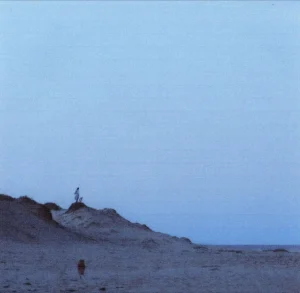 Three years after Soon, Hana Stretton is back with a new album, tiarn, released via Phil Elverum’s P.W. Elverum & Sun label. The multi-instrumentalist and producer made the album while living in the secluded beach town of Lake Tabourie. Describing her creative process, she said in our
 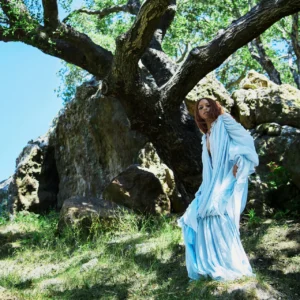 Ravyn Lenae expands her musical palette on her latest album,
 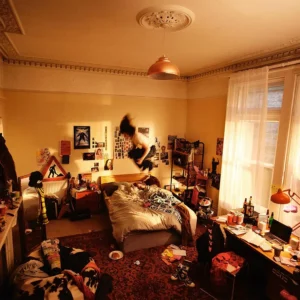 Man/Woman/Chainsaw have come through with their debut album,
 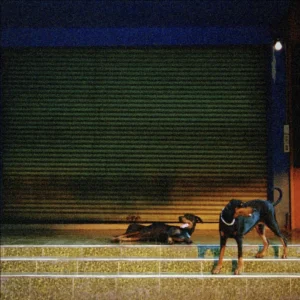 Overmono have followed up their 2023 debut Good Lies with a new album,
  Rowena Wise has unveiled her sophomore album,
  Margaret Glaspy’s elegantly poignant new album,