Teaching something well and making a video about teaching something well are two completely different skills. Most educators figure this out the hard way — they know their subject deeply, they’re effective in a classroom, and then they sit down to record an online lesson and discover that the gap between what they understand and what they can convey through a camera and a screen is wider than they expected.
The production side of online education has always been a hidden tax on the people who should theoretically be best positioned to create it. A historian who can bring a period to life in a lecture hall still has to figure out how to make a forty-minute video that holds attention on a screen. A scientist who explains complex processes clearly in a lab still needs visual material that makes those processes visible to someone watching at home. The subject matter expertise is there. The production infrastructure usually isn’t.
Seedance 2.0 doesn’t solve every part of this problem, but it addresses a specific and important piece of it: the ability to generate visual content that illustrates, demonstrates, and brings abstract concepts to life, without requiring production resources that most individual educators and small course teams don’t have.
The Visual Gap in Online Learning
There’s a body of research on how people learn that educators tend to know well in theory even when it’s hard to act on in practice. Concepts that are explained through motion and visual narrative are retained differently than concepts that are explained through text or static images alone. When someone sees a process unfold rather than reading a description of it, the cognitive load of understanding is distributed differently and the material tends to stick better.
This is why the best educational video content — the kind that genuinely changes how someone understands something — tends to be visually rich. It uses animation, demonstration, visual metaphor, and narrative sequence to make abstract ideas concrete and to make complex processes visible. It gives learners something to hold onto in their mind’s eye when they’re trying to recall and apply what they’ve learned.
Creating that kind of content is expensive and time-consuming when it’s done well. Educational animation studios charge accordingly. Custom illustration and motion graphics take skilled people significant time. For individual instructors and small teams, the budget for that kind of production is usually limited to nonexistent, and the result is that visual richness gets substituted with slides, talking heads, and whatever screen recording can accomplish.
AI video generation creates a different possibility. Not a replacement for high-quality educational animation — the precision and control of purpose-built educational animation is still in a different category — but a way to generate illustrative visual content that makes concepts tangible without requiring a production team.
What Educators Are Actually Using It For
The applications that tend to work best in educational contexts share a common characteristic: they’re about illustration rather than precision. The goal is to give the learner a visual reference that makes the concept more concrete, not to produce a technically perfect representation of every detail.
History and humanities educators have found AI video generation particularly useful for this reason. Bringing a historical period to life visually — showing what a market in ancient Rome might have looked like, or the conditions of a nineteenth-century factory, or the landscape of a particular battle — doesn’t require documentary accuracy in every detail. It requires enough visual specificity to help the learner’s imagination engage with the material. Generated video can do that work effectively, and it can do it for subjects where archival footage doesn’t exist and live-action production would be prohibitively expensive.
Science educators working on processes that are difficult to observe directly — biological systems, geological timescales, chemical reactions at the molecular level — have a different but related need. Visual metaphors and illustrative sequences that make these processes comprehensible are central to how complex science gets taught, and most of those visuals have historically come from textbook publishers, educational film libraries, or expensive custom animation. Being able to generate illustrative sequences from text and image references changes what’s practically achievable for an independent instructor building their own materials.
Language teachers represent another interesting case. Demonstrating conversational scenarios, cultural contexts, or situational vocabulary through generated video gives learners a visual and narrative anchor for language use that’s more engaging than static examples. The settings and scenarios can be tailored precisely to the vocabulary or grammar point being taught rather than relying on whatever general-purpose video happens to exist.
The Practical Workflow for Course Creators
The most natural workflow for educational content starts with identifying the specific conceptual gaps in your existing material — the places where learners consistently struggle, ask the same questions, or seem to lose the thread. These are usually points where the abstraction level has outpaced the visual support.
For each of those points, the question becomes: what would help a learner form a clear mental image of this? Sometimes it’s a process unfolding over time. Sometimes it’s a scene that makes the context of an idea tangible. Sometimes it’s a comparison or contrast that’s easier to see than to describe. The answer to that question becomes the brief for a generated video segment.
The text prompt describes the concept and the visual approach. Reference images can establish the visual style, the period, the setting, or the characters. For content where a consistent visual world across multiple lessons matters — a recurring character, a consistent setting for a narrative through-line — character and scene reference images keep that continuity stable across multiple generations.
Video inputs are less commonly used in purely educational contexts, but they become relevant when you want to demonstrate a process by reference — showing how something moves or behaves by referencing real-world material — or when you’re building on existing footage and want to extend or adapt it for instructional purposes.
Consistency Across a Course
One of the underappreciated challenges in building a multi-lesson course is maintaining visual coherence across all the content. When video segments feel visually disconnected — different styles, different qualities, different aesthetic approaches — it creates a subtle cognitive friction that works against the sense of a unified learning experience.
This is more of a structural concern than a purely aesthetic one. Learners build mental models of the course as they move through it, and visual consistency is part of what makes a course feel like a coherent whole rather than a collection of separate pieces. The reference system in Seedance 2.0 helps maintain that consistency across a batch of related content. Using the same visual style references, the same character references where relevant, and the same general approach to setting and lighting creates a family resemblance across generated segments that text-only generation doesn’t reliably produce.
For course creators who are building something substantial — a full curriculum, a comprehensive professional training program — that consistency matters enough to be worth thinking about deliberately from the beginning rather than trying to reconcile visual styles after the fact.
The Engagement Question
There’s a more fundamental question underneath all of this that’s worth addressing directly: does visual richness in online educational content actually improve learning outcomes, or does it just make the content more pleasant to consume?
The honest answer is that it depends significantly on how the visual content is used. Visual material that illustrates and supports the conceptual content — that gives learners a concrete image to attach an abstract idea to, or that shows a process that would otherwise have to be described — genuinely aids comprehension and retention. Visual material that’s decorative, that exists to fill time or make the production look more polished without adding conceptual value, tends to have little effect on learning and can actually distract from it.
This distinction matters for how AI-generated video fits into educational content. The goal isn’t to add visual richness for its own sake. It’s to identify the specific conceptual places where a visual would do real cognitive work — where seeing something would help a learner understand it better than reading or hearing about it — and to generate visuals that do that specific work effectively.
Used with that intention, generated video can make a genuine difference in how accessible and comprehensible difficult material becomes. Used as decoration, it adds production time without adding learning value.
Limitations Worth Knowing
Educational content often has precision requirements that general creative content doesn’t. When you’re explaining how something actually works — a biological mechanism, a mathematical concept, a historical sequence of events — the visual representation needs to be accurate enough not to create misconceptions. A visually compelling but technically incorrect illustration of how neurons communicate, or a historically plausible but inaccurate depiction of a specific event, can actively work against learning rather than supporting it.
AI video generation is not well-suited to content where visual accuracy is critical in this way. The model draws on learned patterns rather than verified factual knowledge, and the visual output reflects that — it produces things that look right in a general sense without guaranteeing that specific details are accurate. For illustrative purposes where the goal is to give a general feel for something, this is usually acceptable. For content where technical or factual precision matters, the generated output needs careful review by a subject matter expert before it goes anywhere near learners.
There’s also a quality ceiling that matters in professional educational contexts. Courses sold at a premium price point, corporate training programs for large organizations, accredited educational content — these contexts carry quality expectations that generated video needs to meet. In many cases it does. But the expectations vary, and it’s worth honestly evaluating the quality of generated output against the standards your specific context requires before building a production workflow around it.
A Different Kind of Course Production
What AI video generation ultimately offers educators isn’t a shortcut to the same destination. It’s a different path to a version of the destination that was previously out of reach for most individual instructors and small teams.
High-production educational animation at scale still requires the resources to produce it at that level. But visually rich, conceptually supported course content that genuinely helps learners engage with difficult material — that’s more achievable now than it was. The people who should be making educational content, the ones with deep subject matter knowledge and genuine teaching ability, are less constrained by production limitations than they used to be.
That seems like a good direction for online learning to move in. If you’re building course content and you’ve been working around the production gap rather than through it, Seedance 2.0 is worth spending some time with to see where it fits in your specific context.










 On the cover of his new album The Mirror,


 hemlocke springs’ going…going…GONE! EP, not only showcased her knack for larger-than-life, 80s-inspired, maddeningly catchy art-pop, but also led to her opening for the likes of Conan Gray, Ashnikko, and Chappell Roan, the latter of whom
  On a purely textural level, it’s easy to dismiss
  Lord Jah-Monte Ogbon paces himself all the way through As of Now, his 17-track debut LP for Lex Records. That doesn’t always mean taking things slow: there’s definitely an unsteadiness to the album’s flow, punctuated with the nerve to splice together beats seemingly destined for separate tracks, over which the Charlotte rapper has no trouble triangulating his humour, swagger, and pure skill. You could even argue the beat-switching reflects some of the emotional shiftiness he admits to on the record, one where the skits and adlibs are as vital to the storytelling as his truth-spilling, heartbreaking soliloquies. But Jah-Monte never trips over the music as its layers and characters pile up; he keeps steering the wheel, anchoring it in the present as the only place he can assess both his past and future.
 For Mandy, Indiana, inspiration could come from anywhere, and their ears are as attuned to the sounds in their environment – whether close to (or in the literal walls of their) home or entirely foreign – as the ways they can be imagined into their piercing, uncanny body of work. And the body is precisely the animating force on URGH, their first album for Sacred Bones, which partly took shape during “an intense residency at an eerie studio house” near Leeds, but mostly, and painstakingly, over long distances. Buzzing, thrashing, and sloshing through unpindownable spaces that can only be defined by the coordinates of their own band name, the album similarly inspires countless reactions but can only really be captured by its own title.
  Following 2022’s Hyaline and 2023’s Spike Field,
  As beautifully pastoral as 2023’s
 Nothing
 Listening to the follow-up to 2023’s The Window on repeat, an empty chair was always in my periphery, and I would sometimes find myself staring at it while letting the songs do the talking: projecting, sure, but mostly getting lost in their sprawling journey, closing my eyes to appreciate their textures – homed in with producer Chris Walla – and spinning my head in pure joy. I was grateful for their lonely revelations but eager to put it on in the car, on a long drive surrounded by loved ones. If you have listened to a
 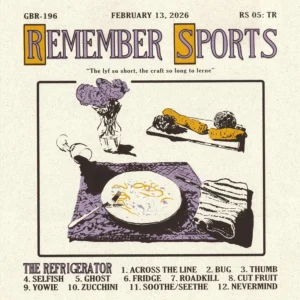 Recorded at Chicago’s Electrical Audio,